

Thank you, this is really helpful! You're right that the start isn't clear enough, especially on a computer, where the kitchen sits small in the middle and nothing tells you the controls (click to move, or WASD + Space). We're working on making the first order easier to follow: what to tap after cooking, and how plating and serving work. Did you try "Learn to play" on the home screen, or jump straight in?
Thanks for explaining the controls and for looking into the first-order flow. I went straight into the game and didn’t notice “Learn to Play” on the home screen. The movement controls weren’t obvious to me at first, and I didn’t realize the burger had to be plated before serving. A clearer cue during that first order would help a lot. Thanks for taking the feedback seriously!
14 hours ago(+1)
Thanks again, that's really useful! Two other new players got stuck at the same spot, plating before serving, so we're adding a clear step-by-step cue for the first order. We'll reply here when it's live, and we'd love to hear if it makes sense to you.
14 hours ago(+1)
Thanks for the update! It’s helpful to know other new players got stuck at the same step too. A step-by-step cue for the first order sounds great. I’d be happy to try it once it’s live and let you know whether plating and serving are clear.
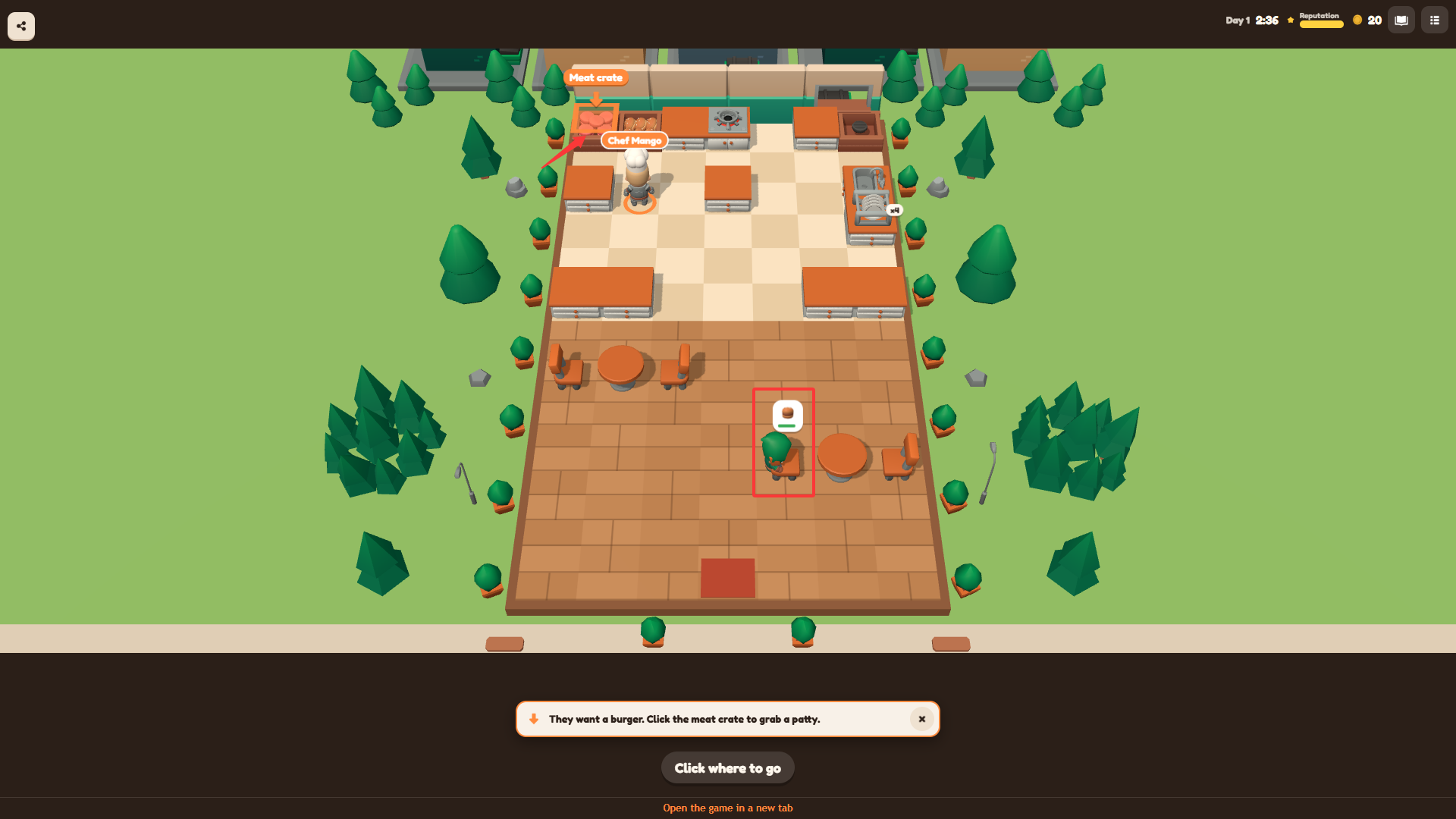
Thanks again for playing and for the feedback, it shaped this update. On your first day the game now walks you through the first order step by step: take the order, grab a patty, cook it, add the bun, get a plate from the plate rack, serve, then wash the plate. The "!" bubble and the action button can be clicked now, WASD walks, and "Closing" says how many tables are left.
The guide only shows on a browser's first visit, so to see it fresh, open the game in a private/incognito window. If you have a few minutes, I'd love to hear whether the first day makes sense now.
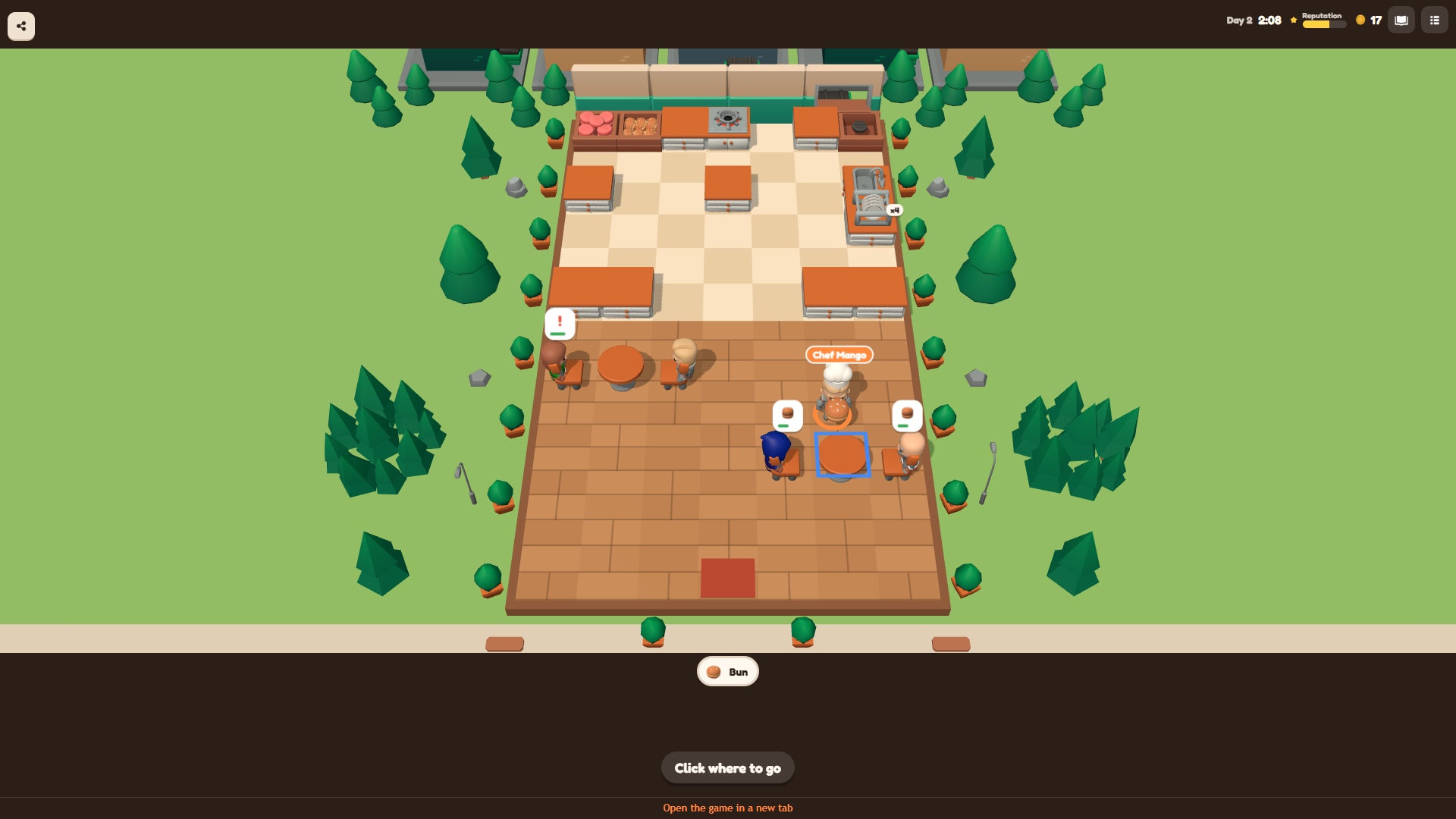
Thanks for adding the step-by-step guide. I may still be missing a step: in my screenshot, the item label says “Bun,” and walking up to the customer/table doesn’t serve it. Should I cook the patty, assemble the burger on a plate, and then use a specific interaction or button to serve it? The arrow pointing to the meat crate makes sense now that I understand it’s for the patty; a clearer cue showing how the patty, bun, and plate become a burger would help.
Thanks for sticking with it, and sorry it's still unclear. Here's the full burger:
1. Click the meat crate to grab a raw patty.
2. Click the stove to put it on, then COOK, and stay while the orange bar fills.
3. Click the stove again to pick up the cooked patty, then click the bun crate to add the bun. Now you're holding a burger.
4. Click the plate rack (next to the sink, the "x4") to put it on a plate.
5. Click the customer's table to serve.
The book button at the top right also shows every recipe. From your screenshots, the guide ended before your first serve, and on day 2 the label just said "Bun". We're fixing both: the guide will keep going until you've served once, and the label will say what's missing, like "Bun: add a cooked patty (stove)".