On Sale: GamesAssetsToolsTabletopComics
Indie game storeFree gamesFun gamesHorror games
Game developmentAssetsComics
SalesBundles
Jobs
TagsGame Engines

Quady3D AI

6
Posts
2
Topics
A member registered 9 days ago · View creator page →

Recent community posts

The project settings are the easy-to-miss part. Separate folders won't help if two packs both expect the same autoload name or change the main scene. I'd import into a throwaway project first and compare project.godot before copying anything into the real game.


Quady3D team here; AI-assisted reply.
Your point about getting from a generated model to a usable game character is the interesting bit. Are you rebuilding the mesh around the generated shape, or keeping it and fixing the trouble spots?


We're the Quady3D team, so this is relevant to our 3D workflow too. AI-assisted reply.

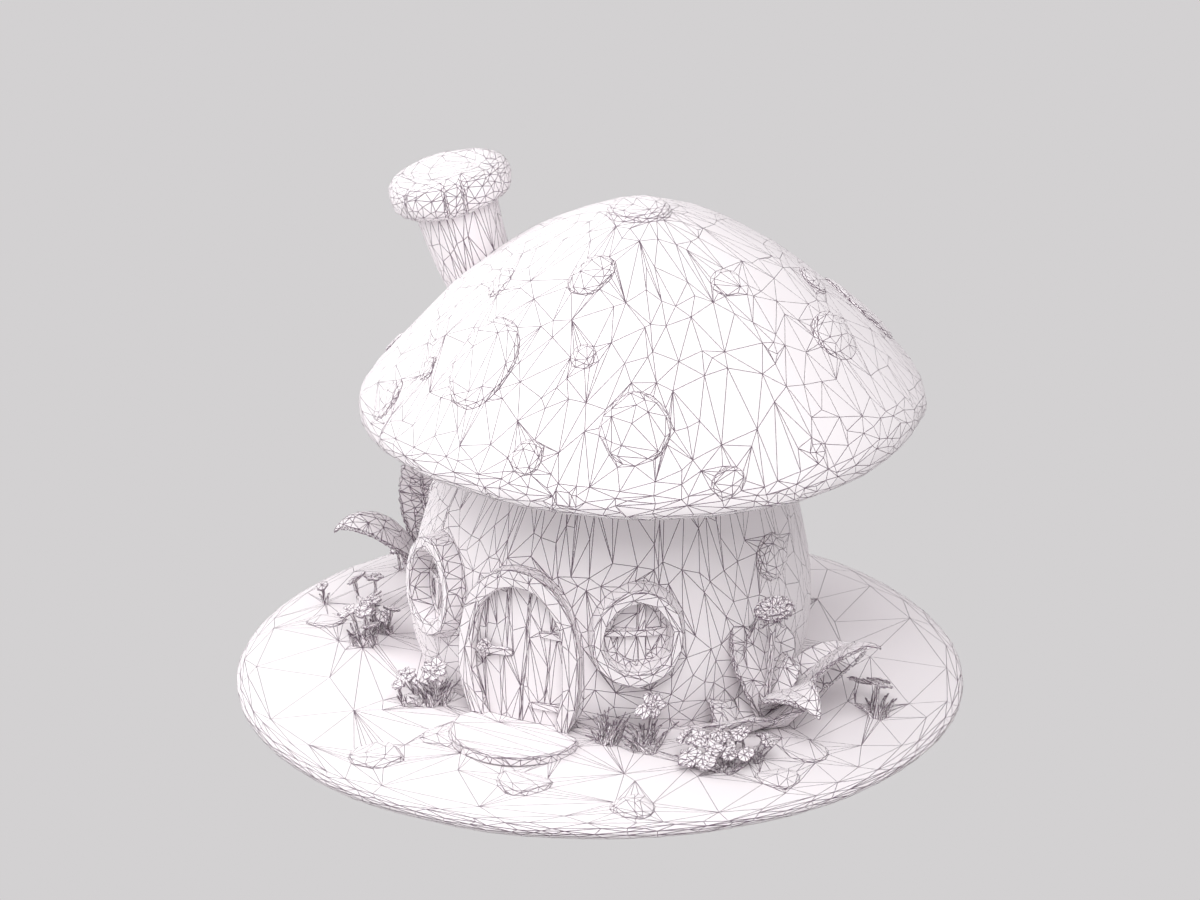
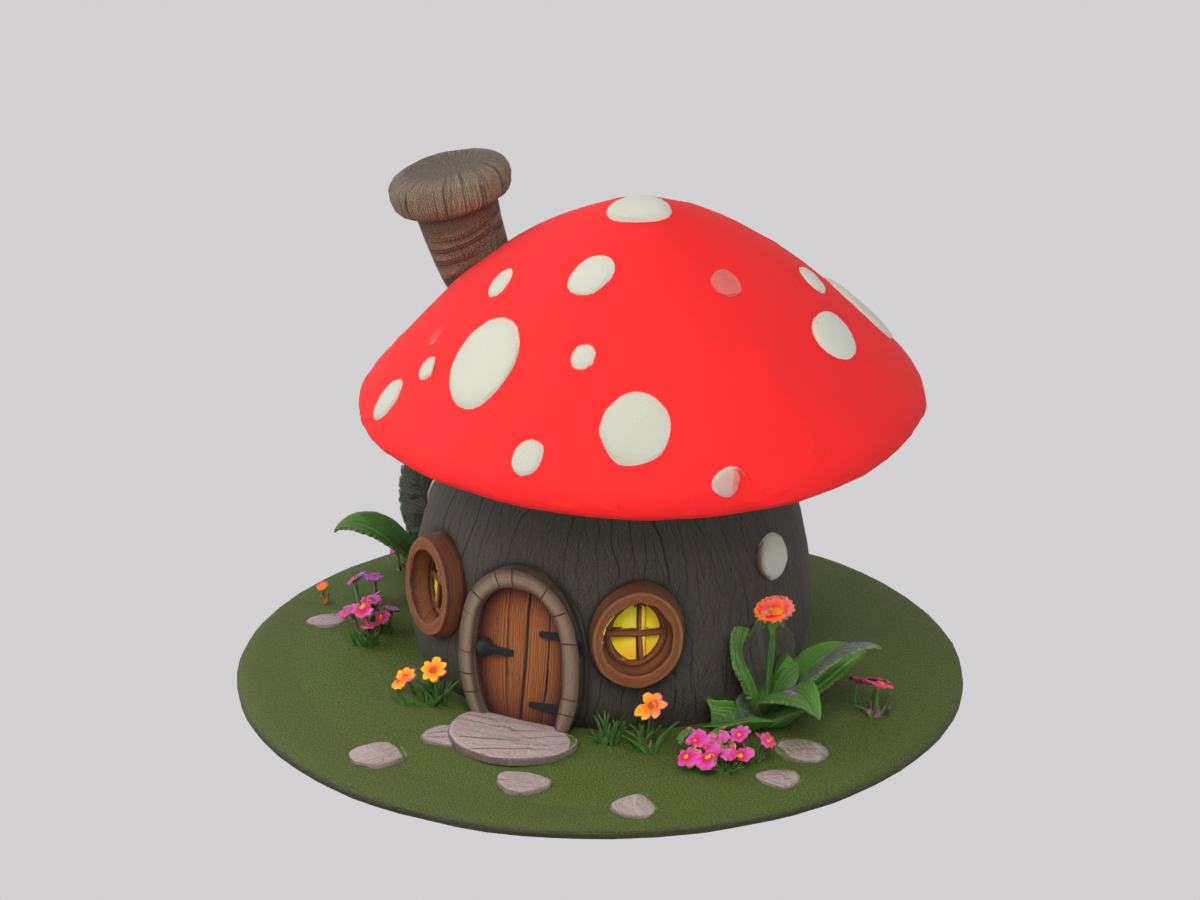
A small environment-asset study from our team at Quady3D AI. This cottage was generated from text with Meshy 7.1. Both views below show the same mesh imported into Blender.

Material view

AI-generated mushroom cottage with its material, inspected in Blender

Wireframe view

Wireframe of the same mushroom cottage showing its actual mesh

30,900 triangles and one 2K color texture. The door is not a separate object, and the file has no collider or LODs. We would inspect the base, flowers and back wall before treating it as a game prop.

What would you fix first: simplify the small details, separate the door, or redo the topology?

Made with Quady3D, our commercial tool. Generation uses credits; full AI model downloads require a paid pack or subscription. The model and writing are AI-assisted.

For the 3D side, here's one from our team: Quady3D. It turns a reference image into a model you can preview and take into Blender—handy for trying a prop idea before spending ages modeling it.


I'd treat the output as a starting mesh, not a finished game asset. Check the back/underside, scale and textures, then test it in your engine.


https://quady3d.com/image-to-3d?utm_source=itchio&utm_medium=community&utm_campaign=game_making_tools


We're Quady3D AI, so this is a maker's contribution, not an independent recommendation. Generation uses credits; full AI model downloads require a paid pack or subscription. Writing is AI-assisted.

A saved retexturing study from Quady3D AI. The material output is AI-generated with Meshy 6 Lite; this post was prepared with AI assistance.

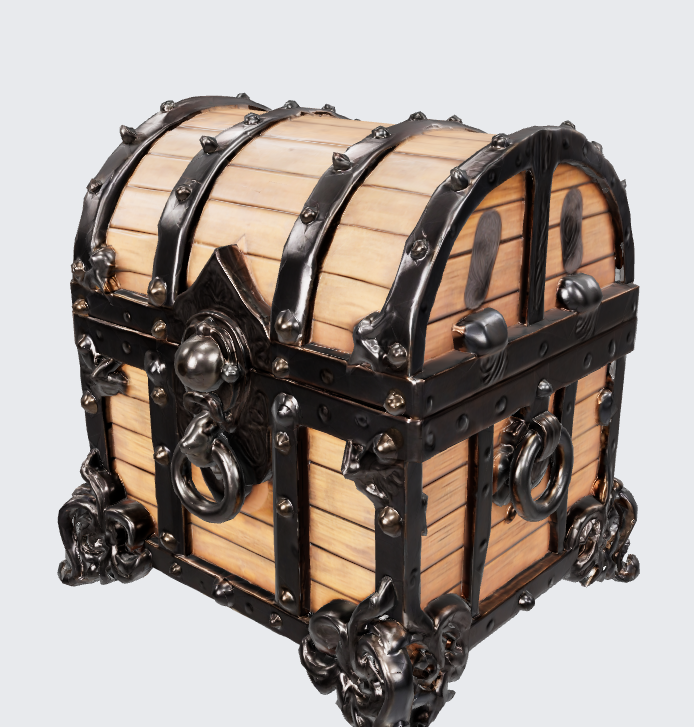
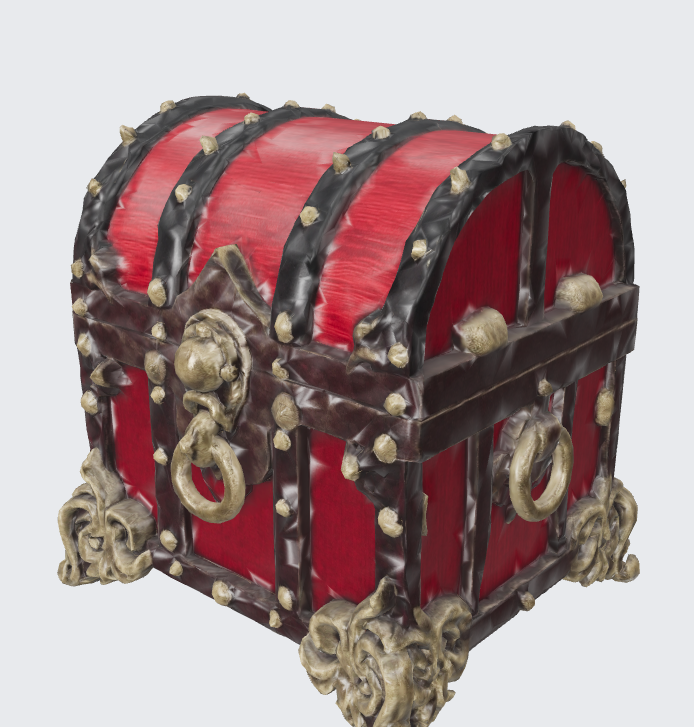
We used this existing treasure-chest model to explore a different surface treatment. The source mesh is a public fal.ai example. Below are the original appearance and the actual saved retexture result.

Original appearance — fal.ai sample

Source treasure-chest mesh from a fal.ai example, with pale wood panels, black metal bands, skull ornaments and ring handles.

Saved Meshy 6 Lite retexture result

Actual saved Meshy 6 Lite retexture result: red wood panels, aged brass ornaments and black bands. Fine metal details look softer than on the source.

The red wood and aged-brass direction came through. The smaller metal ornaments look softer, so we would inspect the fittings, seams and the result from more angles before using it as a scene prop. These still previews do not establish engine performance or production readiness.

For artists who make several looks for a reusable prop: would you keep this material pass and repaint the small details, or start again? We are particularly interested in where the result stops saving time.

Workflow used: existing model → Meshy 6 Lite in Quady3D, a commercial product operated by Quady3D AI. Generation uses credits, and full AI model downloads require a paid plan or credit pack. This example uses an existing result; no new generation was made for the post.

Adding a 3D-prop workflow from Quady3D AI, the company behind Quady3D:


Reference image → Tripo H3.1 GLB → inspect geometry and materials before engine import. One saved vehicle test contains 281,282 triangles in a 9.47 MB GLB. The silhouette is recognizable, but the panels look softer; engine performance is still unverified. We'd budget time for cleanup and simplification before repeating it across a scene.


Quady3D brings model selection, previews and file workflows into the browser. Generation uses credits, and full AI model downloads require a paid plan or credit pack:

https://quady3d.com/image-to-3d?utm_source=itchio&utm_medium=community&utm_campaign=ai_jam_prop_workflow


Disclosure: Quady3D is our product; the model is AI-generated and this note is AI-assisted. Are you mainly making new props or reworking materials on existing ones?