Thanks for the reply! The slow load was probably my connection that day, so don't chase it too hard. Fair point on the sparkles too, I was rushing the first beach. Full screen by default sounds like the right call. Good luck with the rest of the jam!
Tao0225
Creator of
Recent community posts
Played Sandy Hollow, shift 1, in desktop Chrome. It loaded instantly with no account, and the work-order card plus the "crusher orders" tooltip told me everything I needed. The art is lovely, especially the tiered pits.
One thing tripped me up: I drew my second road from the right-hand pit to the right side of the crusher. It looked attached, but the crusher only takes deliveries from its left stub, so that pit's trucks sat idle for half the shift and nothing told me why. A highlight on the valid entrance while dragging, or a small "not connected" marker on a dead-end road, would save new players that confusion. Once I looped the road around underneath, everything flowed.
With two roads I hit 520 t against a 380 t target by about 16:30, so day 1 feels a touch generous, which is probably right for a beginner site. Fast-forward plus the Finish shift button kept the pace good, and the delivery choice at the end (roundabouts, trucks, highway) is clear. Nice work!
Thank you, this is exactly the kind of detail I needed. Three things I'm taking straight to the next build: the description saying "down that column" when arrows actually home in on the nearest enemy, Level 1 never threatening the fence, and the feedback box covering the clear card. Your idea of a wave-3 blob that creeps down a step per tap is a great way to make the fence matter early. I'll also check why the board looked frozen while you waited, and whether Rapid Fire means anything if the bear isn't shooting on its own. Really appreciate you taking the time.
Thank you, this report was really useful. The grey screen came from a third-party script loading in the page head: when your browser or network blocked it, the whole page never rendered, so there was no button and no error. I've just uploaded a fixed build that loads it in the background and starts the game anyway. A refresh should take you straight into level 1. If it's still grey, please let me know your browser and any extensions and I'll keep digging.
Played in Chrome on desktop. The menu is lovely: the shell sign hanging from the rear-view mirror and the windsurfers drifting by set the mood instantly. A few honest notes from my first minutes:
- Loading took about 35 seconds on the Godot splash. Shrinking the export (or a quick "loading the beach..." line) would help people not bail.
- On the first beach I couldn't tell what is clickable. A tiny sparkle or wiggle on one shell, just for the first find, would teach the rule without text.
- The right arrow in the bottom corner sits right under itch's fullscreen button in the embed, so my click hit the wrong one. Moving the arrows inward a bit would fix it.
Yes, I'd play more levels. The art style carries it.
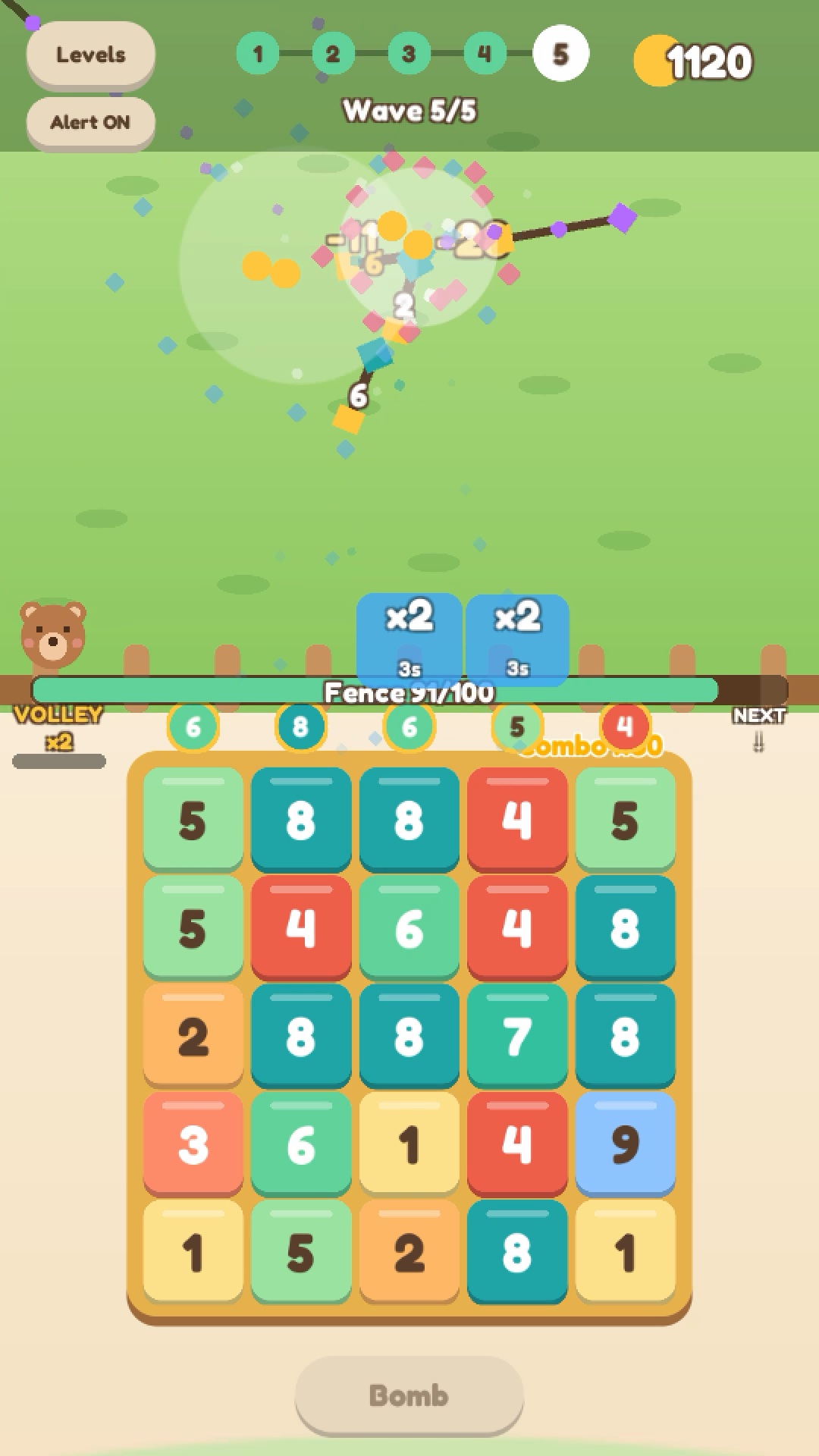
Hi everyone! I just pushed a big update to Tap Merge, a small number-merge defense game you can play free in the browser, on desktop or phone.
How it plays: tap a number to merge it with its matching neighbours. Every merge fires an arrow up that lane, and bigger numbers hit harder. Monsters walk down toward your fence, so you are always choosing which lane needs help right now.
What's in it (v10):
- 60 levels in 6 chapters, each chapter adds a new monster twist (splitters, healers, ice, lane jumpers, lava) and ends with a boss
- Coins from wins upgrade your arrows between levels
- Red warning lanes and bombs now explain themselves the first time you see them
- Sessions are short, a level takes about 2 to 3 minutes
Play here: https://tao0225.itch.io/tapmerge-playtest
It's still a playtest, so honest feedback helps a lot. In particular: was anything confusing in the first minute, and where did you stop? There's an in-game feedback button too.