


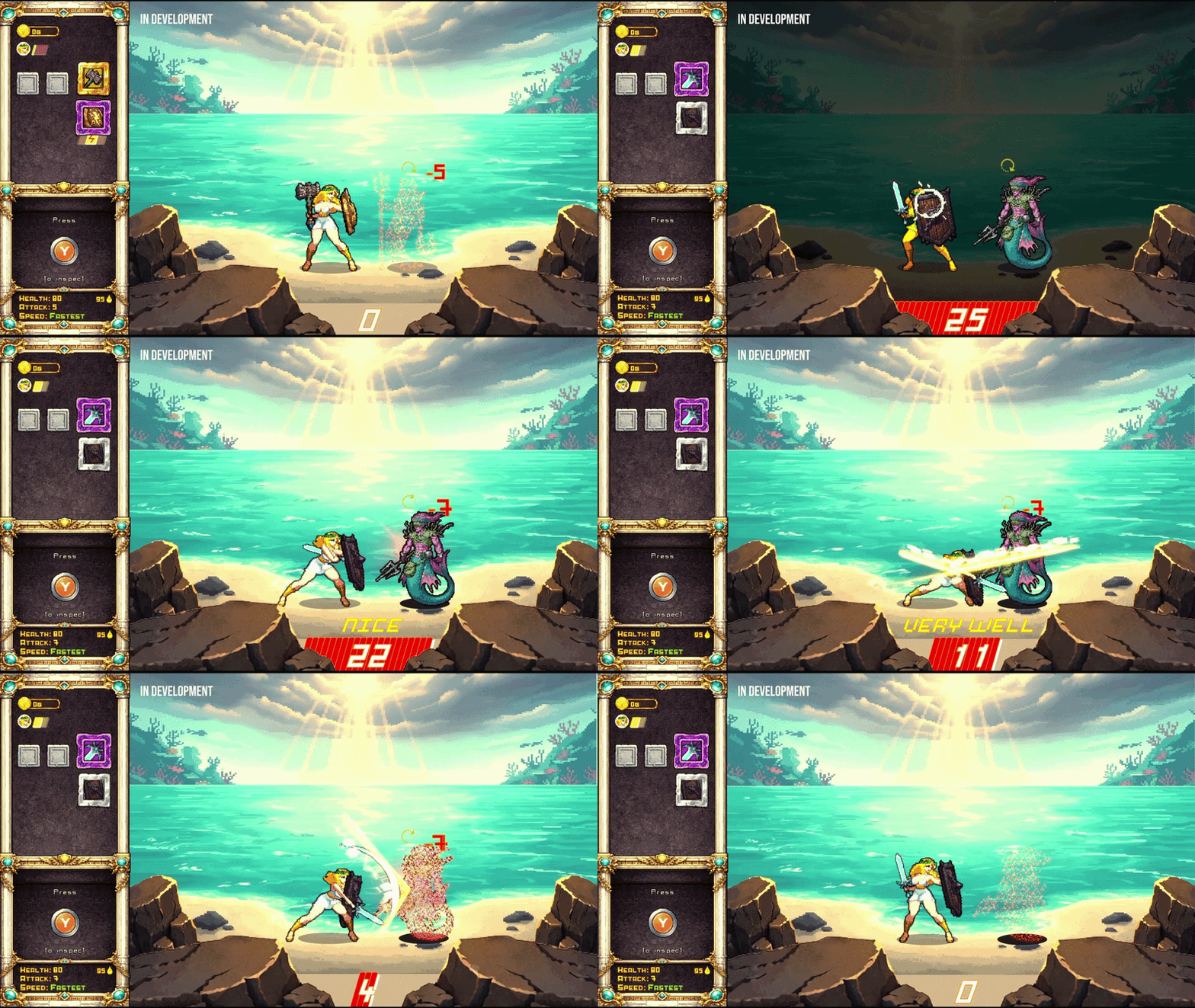
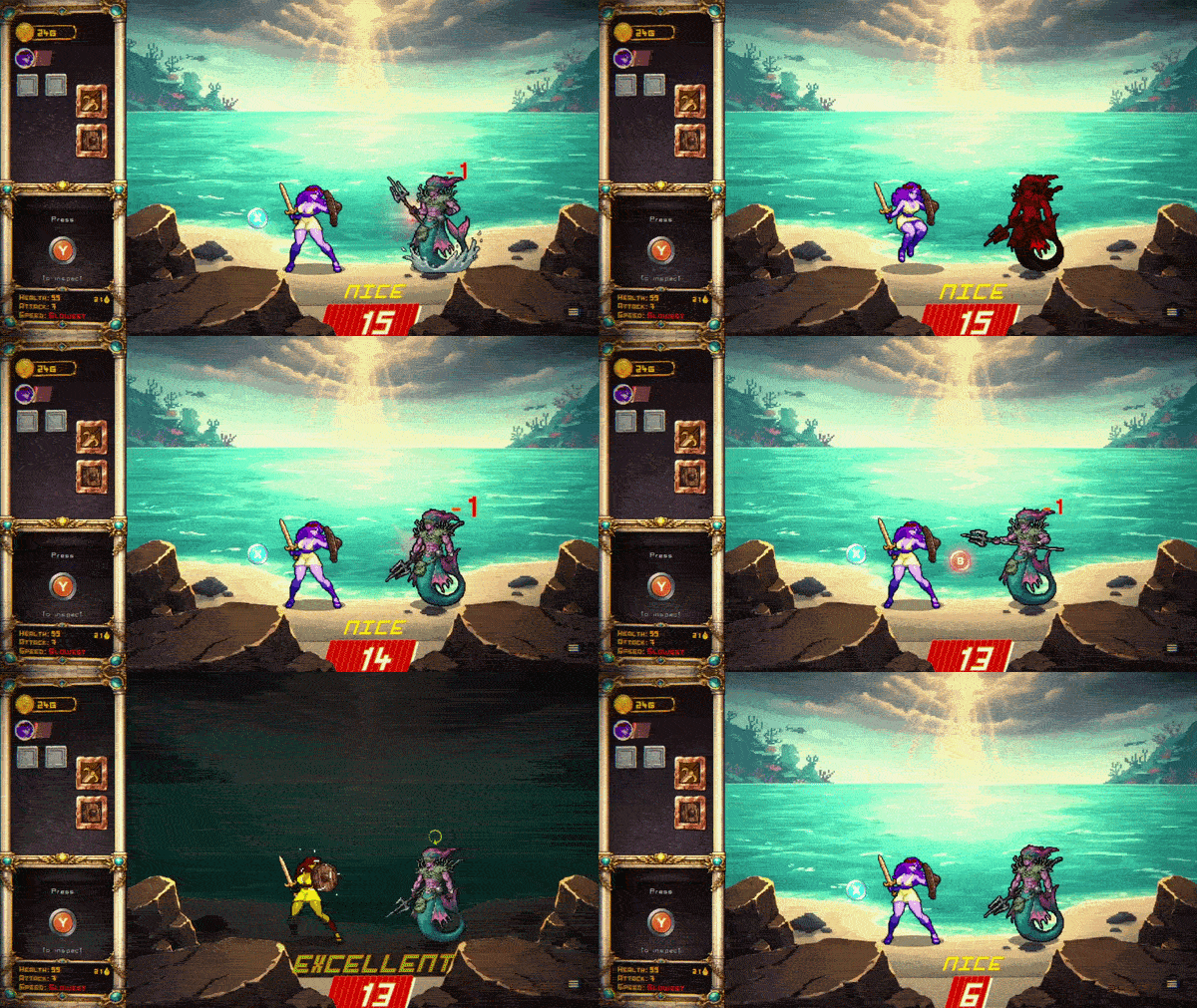
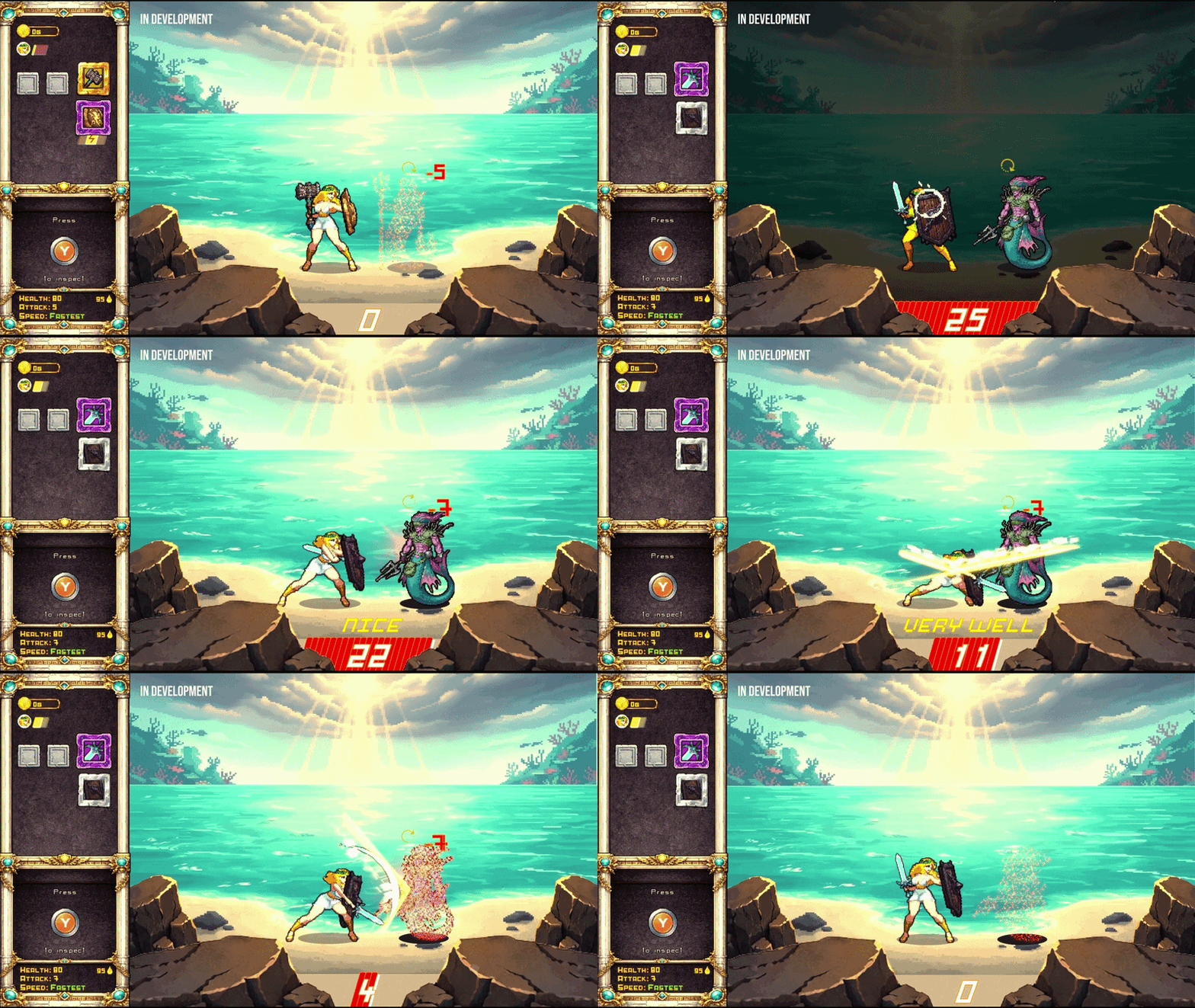
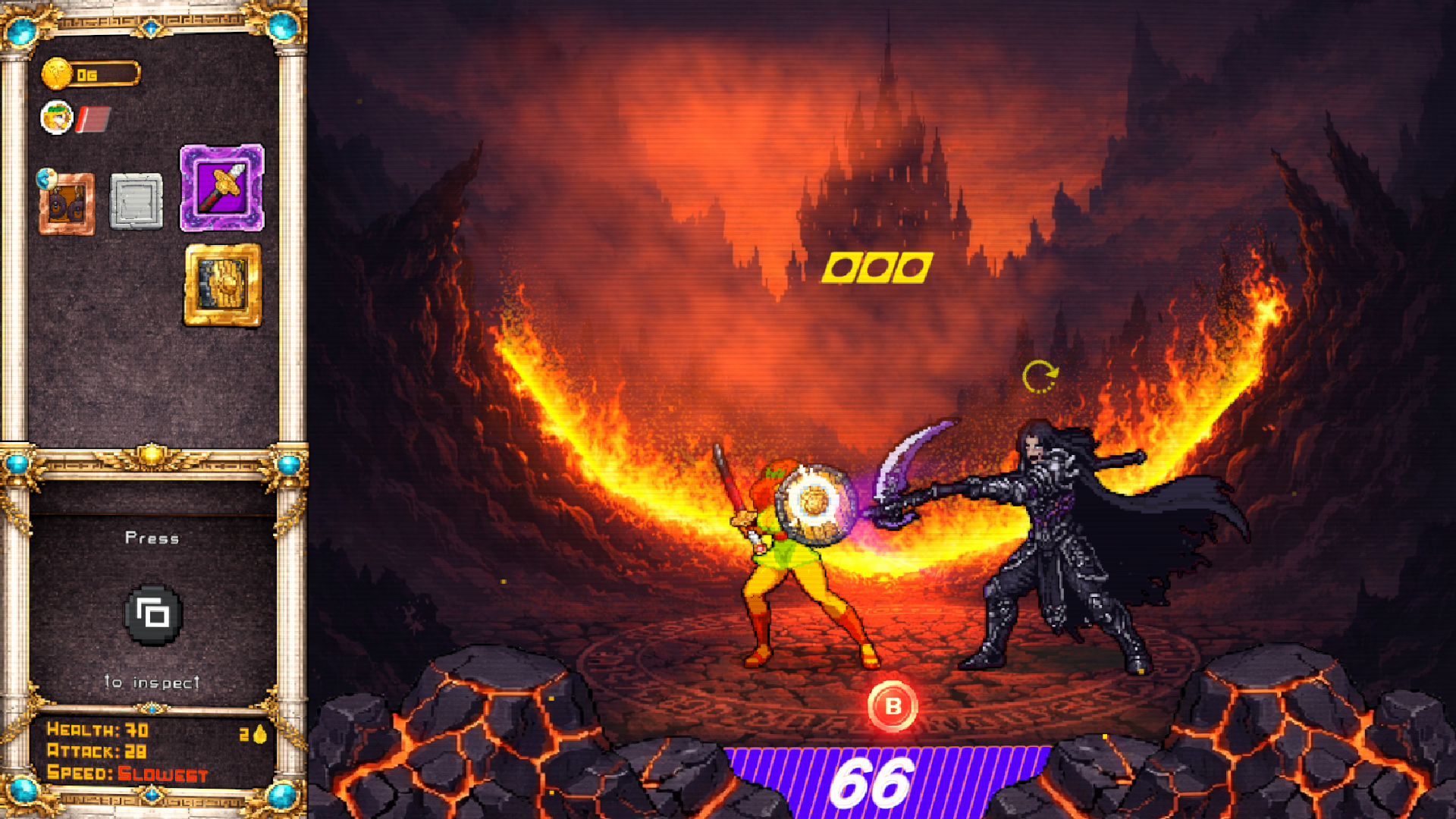
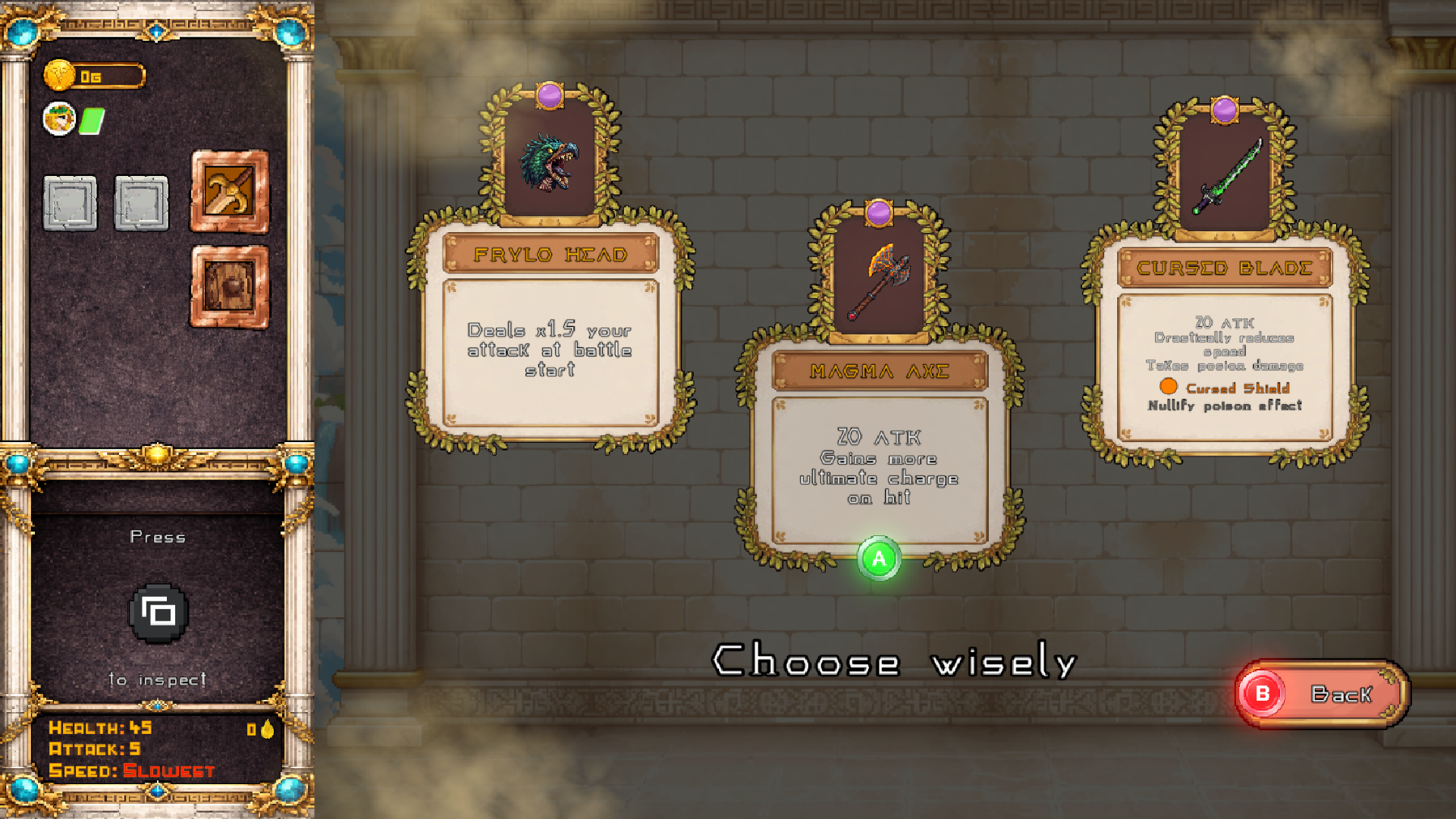
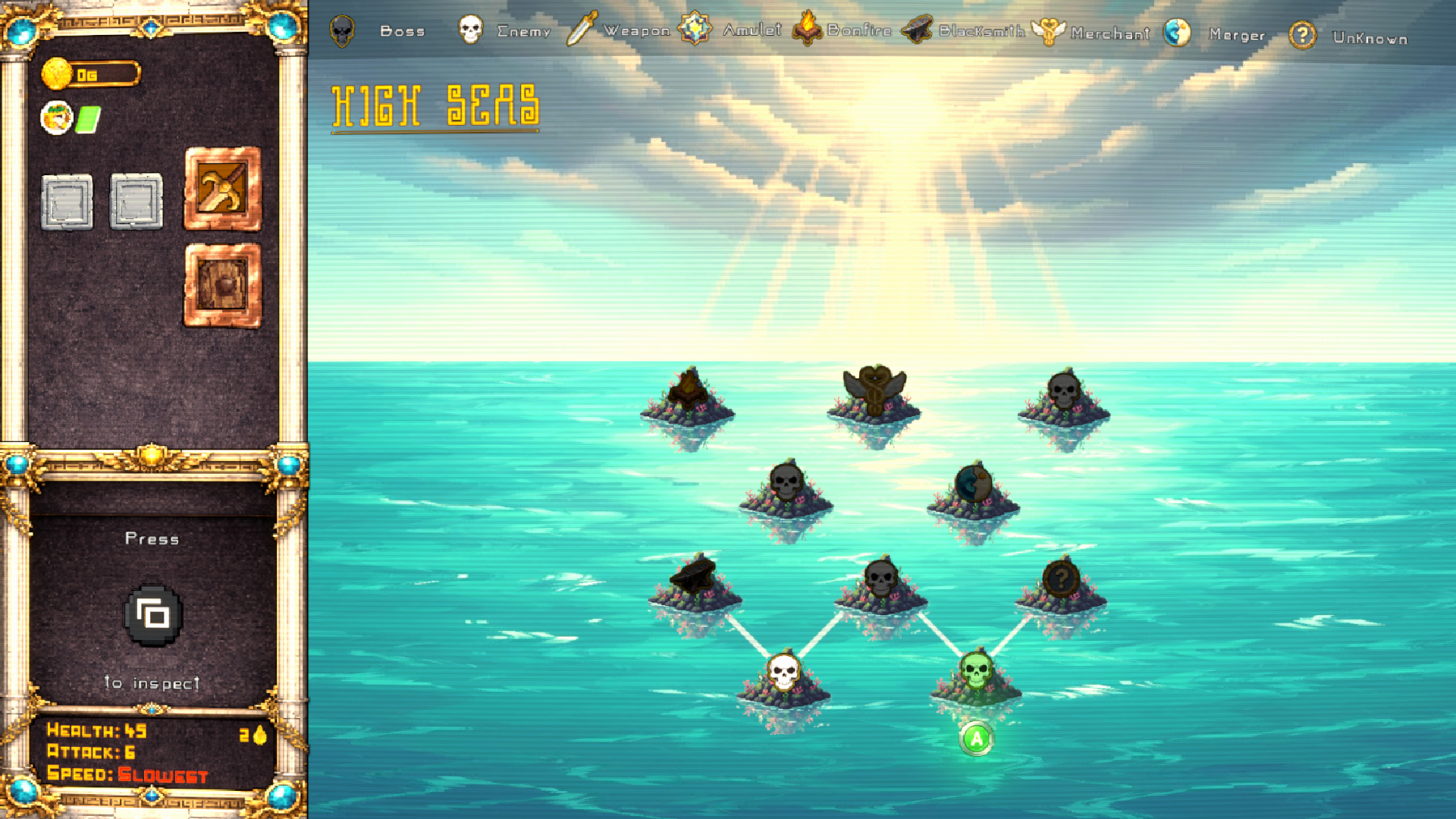
I've played for about 10 minutes, and I found that sometimes the timing to parry was very precise and there were points where I just couldn't react in time, and this timing differed greatly from enemy to enemy. Also, I'm pretty sure the shop always has the same items, but I've only been to two so far.
Play game
Between Gods's itch.io pageResults
| Criteria | Rank | Score* | Raw Score |
| Recent Work/Making Progress | #7 | 3.464 | 4.000 |
| Overall | #7 | 3.079 | 3.556 |
| Onboarding/Intuitiveness | #8 | 2.887 | 3.333 |
| Fun | #8 | 2.887 | 3.333 |
Ranked from 3 ratings. Score is adjusted from raw score by the median number of ratings per game in the jam.
Improvement Summary
I have worked on many Android games for my personal use.
Devlog
/t/6793442/trying-to-make-my-first-good-game
Requested Feedback/Comments for Reviewers
test my combat mechanics, parry system!
Comments
15 days ago(+1)
Thank you so much for taking the time to play Between Gods.
Regarding the combat: I completely understand why it felt a bit like a quick time event. In an earlier iteration, the pop-ups appeared a few seconds before the attack, requiring players to time their parry manually without on-screen prompts at the moment of impact. While that sounded great on paper, in practice most players got stuck on the very first enemy and felt the game was brutally difficult.
To strike a better balance, I'm considering a few changes:
- A dedicated parry button: Consolidating all parries into a single button regardless of attack direction (top, middle, or bottom) to reduce input confusion.
- Dynamic UI indicators: Displaying the directional pop-ups only during the first 2–3 attacks of a new enemy type to help players learn, after which the indicators disappear, requiring players to read animation telegraphs and learn enemy attack patterns.
I'll be running some closed playtests with these adjustments soon to see how it feels in action. Thanks again for the encouraging words and valuable insights—it really helps shape the future of the game!
17 days ago(+1)
Thanks for playing it! I'm glad you liked it.
I have an artist I commission for all the art—I've only done part of the UI, like buttons and a few small things here and there, but most of it was done by a hired artist.
The negative HP bar is actually intentional so you can see the overkill damage after you die, though I guess it can give the impression that something is bugged (I'll consider clamping it to 0 later).
The input delay between your attacks is also intentional to prevent spacebar spamming. You actually did exactly what I wanted players to do: timing your attacks and avoiding attacking at the same time as the enemy. The main objective of the game is to focus on parrying. Parries deal 100% of your ATK, whereas free attacks using the Space Bar only deal 25%.
17 days ago(+1)
The auto-buy bug is on my list! I just haven't been able to replicate it yet to figure out why it happens, plus it doesn't always happen on the second shop visit—it seems to be pretty rare.
Items that increase Max HP don't automatically heal you because that would make the game too easy. Once you raise your Max HP, you still need to visit a bonfire or use healing amulets to fill that new health cap.
I'm already working on fixing the bug where you can't attack right as combat starts. I'll be pushing an update tonight with that fix alongside several others.
Consumables can't be used from the menu—they can only be used during battle. I need to clarify that in the amulet pop-up message.
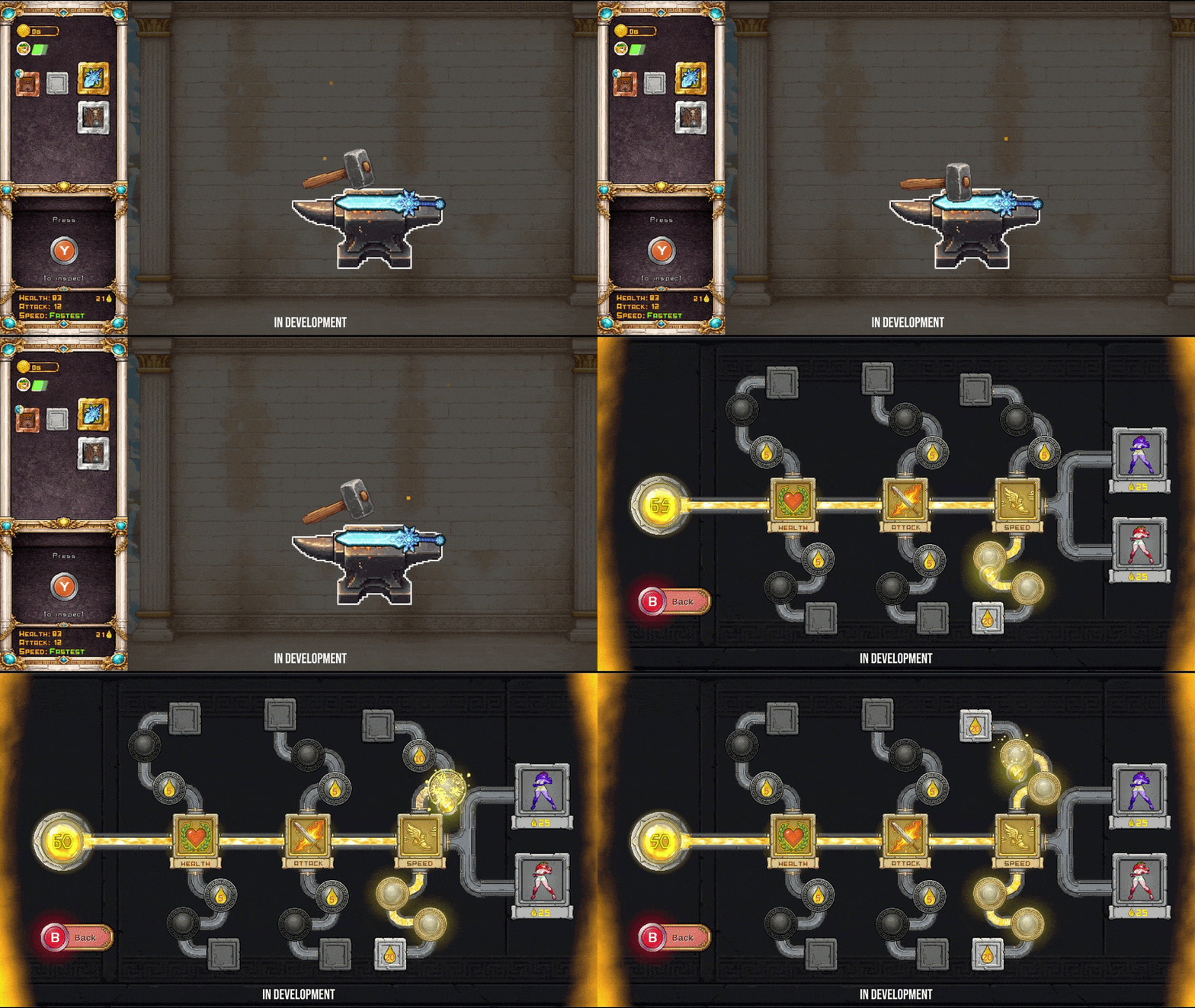
Weapon durability can be upgraded at the Blacksmith. Every time you have a successful hit, your durability also increases depending on the weapon type you're carrying (rarer ones like Gold and Unique increase durability by 2 points or more). The Blacksmith pop-up explains how this works.
I definitely need to adjust the low attacks; I'm aware they tend to be the hardest to deal with.
As for the enemy zoom effect, I've already adjusted it in today's update, so you shouldn't run into that issue next time you play.
I'm really glad to hear you finished the demo! I'll take all this feedback into account to keep improving the experience.
Thank you so much for your time!
Hi! Thanks for the reply. So, you had some comments about things I mentioned that are not seeing what I was thinking when I wrote the comments. I acknowledge that I might not have been clear enough so I thought I should write a reply to your reply hopefully clearing some things up. Your comments will be bolded and my comments will be under them.
The auto-buy bug is on my list! I just haven't been able to replicate it yet to figure out why it happens, plus it doesn't always happen on the second shop visit—it seems to be pretty rare.
- So, more on this bug. I had the bug every time I visited after the first shop visit, whether or not I had purchased anything any time. When I re-rolled the shop, the next time I visited, I would not have the auto-buy bug. This happened every time in several different runs. I still had the bug even after I reloaded the page.
Items that increase Max HP don't automatically heal you because that would make the game too easy. Once you raise your Max HP, you still need to visit a bonfire or use healing amulets to fill that new health cap.
- I could be wrong about what you are talking about here, but I think you are referring to the section where I talked about the merging. I know that Items that increase Max HP don't automatically heal you, what I was referring to in that case was the text underneath the item in the merger did not update how much Max HP it gave after being merged. The attack power text was updated directly after merging. Pressing tab while hovering over the item in your amulet slots did give the actual stats of the item, it was only the text on the item shown in the amulet merger area.
Consumables can't be used from the menu—they can only be used during battle. I need to clarify that in the amulet pop-up message.
- I understood that from the beginning. My issue was that I could not use the consumables in combat. I pressed both the key that was flashing beneath the item, and the key above the item. I could not use the consumables in combat no matter what I tried. I replayed with the latest version, and this seems to be fixed.
Weapon durability can be upgraded at the Blacksmith. Every time you have a successful hit, your durability also increases depending on the weapon type you're carrying (rarer ones like Gold and Unique increase durability by 2 points or more). The Blacksmith pop-up explains how this works.
- I understand this, I read the blacksmith popup. However, for one, blacksmiths are not guaranteed to work, and for two blacksmiths seem to have a upper limit for how high they can increase the weapon’s durability. I was thinking an amulet that guarantees that it will increase your weapon's durability and does not have an upper limit on how high it can take the durability.
I definitely need to adjust the low attacks; I'm aware they tend to be the hardest to deal with.
- I was thinking, maybe have the low attacks be something you block with your shield instead of jumping over. I have two reasons for thinking this. One is that I feel like it would be easier for the player who has gotten used to the time it takes to adjust the shield into a block position to get their timing right. The other is that with the current dodging the down attacks I do not think that you can get a parry strike back at the enemy, which means that if the down attacks are all they decide to do, you will have a much more difficult time taking them out than you would have if they were doing left, or up attacks.
-R
12 days ago(+1)
I found the merchant bug! Thanks, I hadn't read your message carefully, but it's fixed now.
I also fixed the HP when merging. I noticed there were issues with the HP when switching amulets as well, so both bugs are fixed now.
Regarding an amulet to guarantee the blacksmith's durability, it doesn't exist yet, but it's on my to-do list.
I wouldn't want to just change lower attack to a block, I need dodges to exist so you get different advantages against enemies depending on the class you use.
new build will be up on few minutes.
19 days ago(+1)
Thank you so much for playing Between Gods and for taking the time to share such detailed feedback! This kind of input is incredibly helpful as I continue to polish the game.
I wanted to clarify a few points regarding the issues and mechanics you mentioned:
- Menu Centering Issue: This is actually the first time I’ve received a report about the menu misalignment on load. The game is designed to run at a native resolution of 1280x720 in the browser. Could you let me know what screen resolution or display settings you were using? I’d like to see if it’s triggering on smaller monitor resolutions.
- Camera Zoom on Elite Enemies: That zoom effect happens with elite enemies (like the Merfolk / Tritons) when their health gets low, triggering with a 50/50 chance. A few players have brought this up as well—it throws off timing too much. I’m planning to add a longer delay right after the zoom so you have enough time to react and see which key to press.
- Shops: The shops currently sharing the same stock across nodes is actually intentional unless you manually pay for a refresh, but I appreciate the perspective on how that impacts run route planning.
- Mastery Menu & Death Flow: I’m actively thinking about the best way to remind players to spend their Mastery points after dying so it feels seamless without interrupting the flow of gameplay. However, allowing players to upgrade mid-run or bypassing the main menu setup entirely would require some deep structural changes, as Mastery upgrades are meant to be handled strictly before a new run starts.
- Spacebar / Attack Input: Thanks for noting the issue where attacks wouldn't register right at the start of combat until after blocking or parrying. I’ll look into the input state to see why Space was getting blocked initially.
I’m really glad that, despite the initial difficulty and the Merfolk tail attacks giving you a hard time, you felt that sense of progression and got into the rhythm of the timing! That loop is exactly what I’m aiming for.
I’ve received a lot of great feedback over the past few weeks, and comments like yours are super motivating. Thank you again for playing and helping make the game better!
We're glad our feedback is helpful.
I'm playing on a 4K monitor, with the browser window plenty large enough for the viewport. Here is the offset menu I see:
One of our kids played as well. We'll be posting their full review later, but they had issues with the game crashing when they tried to play in fullscreen.
We do use the Vivaldi browser, which is Chromium based, and are on Linux. I just tested with Chrome itself and Firefox, and both seem to be centering correctly. I'll need to look into it more to see why Vivaldi has an issue and Chrome doesn't. Another dev I know recently had a similar alignment issue in browser with one of their games made with Godot, and I don't think they were using Vivaldi.
For the shops, the main issue for me was not knowing how they worked. Now that I do I can adjust thing in the future. Since the game is replayed many times it won't be too bad learning this in a game and only impacting that game, but it is also something that could be added to any tutorial or instructional materials.
I can totally understand having things designed so that you expect them to be setup when the gameplay starts. Just a shortcut to get back to the upgrades screen would be enough.
18 days ago(+1)
I completely understand the lack of information on how to play the game. I'm currently working on some pop-ups that will appear in-game as the player navigates through the different menus. About 8 hours ago, I published a new build featuring some of these pop-ups, though I still need to add the ones for the shop and skill tree.
I'm also working on that shortcut so players can access the skill tree directly from the game.
I did a bit more testing. It seems that the Display Options for Resolution & Window Mode are not being saved/loaded. This is not just when restarting the game by refreshing the page, but also when starting a run and returning to the Menu. I was trying to experiment with different settings to see if they had any affect.
I also tried switching to fullscreen as soon as the game started, with the default settings. I did not get the crashes my kid reported, though only played a couple locations. When I went back to the menu I was zoomed in at the bottom left with clouds, and just a portion of a building showing.
I'm using a mix of mouse and keyboard currently. I don't often use fullscreen for jam games, but with my extra testing, I'm acknowledging that for keyboard you heavily use Esc. On the web Esc will exit fullscreen. You should add an alternative button that can be used for web. P is common for Pause, but would not make as much sense for some of the other uses. Similarly Backspace could make sense for going back, but if the game loses focus, many browsers will go back a page when Backspace is pressed and you are generally focused on the page. If you enable both by default that could let players in fullscreen use Backspace, as they'd be unlikely to be unfocused such that it would go back in fullscreen, and those not using fullscreen could stick with the default of Esc, along with non-web being fine with the default. You could add this as a note on the page or instructional popups in the game, while leaving the default Esc in the UI. Adding input remapping would be the best to let players chose what works for them, but that would obviously take longer. A non-Esc alternative could be a good fallback for web fullscreen users for short term.
18 days ago(+1)
The video settings aren't loading on browser on purpose. If you're playing in the browser, set a very high resolution, and don't play in fullscreen, the window ends up misaligned, which makes the game look bad. For now, I have it forced to windowed mode at 1280x720p. (I should really disable the fullscreen option in the browser build so players don't feel like something is broken.)
The game really isn't intended for fullscreen in the browser anyway because pressing ESC exits fullscreen mode. I'm going to disable that option until I can fix all these issues.
Keybinding is on my to-do list; I'm well aware that every game should have it.
Leave a comment
Log in with itch.io to leave a comment.