Indie game storeFree gamesFun gamesHorror games
Game developmentAssetsComics
SalesBundles
Jobs
TagsGame Engines

wizorge

99
Posts
2
Topics
57
Followers
1
Following
A member registered Jan 23, 2026 · View creator page →

Creator of

Recent community posts

I actually didn't think to consider Chromebooks at all! That does sound like an annoying problem, I think it might be some quirk with how ChromeOS detects mouse capturing. I'll try to look into it a bit and see if I can figure out the issue.

I'm not sure why no devs talk about it, but it's surprisingly hard to figure out if the player wants the mouse cursor to be captured or not in code, and then do capture it or make it visible, and have it work the same way for all browsers and OSs.

Also, can I ask what sort of performance you're getting? I'm also guessing you're using lowest video settings already as well? I have some ideas to improve performance on lower end systems, but it'll likely not be ready until the next update, and I also can't promise if it will help a lot.
You're closer than you think then! 

The redder the entity the further you can examine them from. Also, not all invisible walkers are the same.

Hope that helps!

I just tested out the card in the world set and it seems to work fine, but I get why it can be easy to miss. There's only 2 of them you can access right now, and both of them are in the lighthouse if that helps!

Also, there's definitely some issues with the spawn rates to get the 2nd fog card, another player noticed the same thing, and I never tested spawn rates for my spawning system, just that everything seemed to spawn at all, so I might need to tweak that a bit.

I'll likely be adding some sorta card hints as well, cause all cards existing should be attainable after all, but some of them aren't very clear which isn't great.

Also thanks! Glad you've enjoyed it so far!

Thank you for the well structured and detialed feedback! Also first time I hear someone modding Wender, which is very awesome to hear!

I pretty much agree with everything you pointed out, some things I already realized right before the update but decided to stop polishing and just put an update out, other things I've also heard from multiple players, and a few things like the inconsistent spawns (especially for Peekaboo) and really good QoL ideas noone else has pointed out yet.

I made notes of everything you mentioned though and I'll try to address most of these by the next update.

The only thing I'm not really sure about is the "secrets to be found" part, since I want the world to feel interesting and mysterious, but not make you lose out on anything significant if you decide you don't want to explore every nook and cranny (it's a pretty hard thing to balance I feel, and I know I already messed up on that in some parts!)

Also, if you don't mind me asking, how did you mod the game? I'm guessing you don't mean CE, but instead unpacking and editing the .pck or something?

If so, I'd love to hear if there's anything you think would make modding the game easier. Moddability is kind of a far future topic, but it'd be great to know if there's any simple considerations I could handle in the codebase to make it simpler for people for the time being!

I was actually planning to put some chests on top of each one but I ended up forgetting. Also didn't realize anyone would be able to see over the fog line!

I'll be definitely hiding a lot more stuff now!

Also really glad to hear you've had a good time playing and exploring every nook and cranny!

Don't hesitate to let me know if you run into any other issues!

And thanks! You have a great weekend as well!

(2 edits)

Hello! Really glad you've been having a good time so far!

So multiple stuff here going at once, most of them my fault:
- Entities should not be able to enter the area, but I guess they can
- Entities can not attack you in the area (at least this one seems to work!)
- The maze is supposed to be disorienting, but not impossible

As a sorta hint, when the stand with figures appears, you can look what direction they're facing, and head that way.

If you still get stuck, you can just pick a single direction, and open doors until you hit a wall, then pick left/right and keep opening doors that way until you find the exit. Or go to the pause menu and hit the UNSTUCK button.

I'll definitely take another look at these issues and try to improve them for the next update, sorry for the confusion!

edit - also no clue if there's a way to mark spoilers, and thanks for thinking about that! It would probably be good to remove some of the details to minimize spoilers, since I don't think you can add spoiler tags and I'd love for people as many people to get a fresh experience with no spoilers as possible!

edit2 - also note that the doors have a random chance to open, it doesn't mean they're locked

Thank you very much!

Yea you're totally right, it is a bit tedious right now.

It's one of the least big features I put together for this update, and I had plans to make the process both more interesting and also make a bunch of upgrades to improve processing and later to automate it, that I didn't get around to adding.

It's going to be at least a bit better by the next update

Oh yea, reading "orb" description now that would make sense! Pretty cool, since I was fairly sure it was some sort of a state lock bug.

Regarding the freeze, it looks like the log is long gone as well if it did populate, if I had realized it would overwrite I would had copied it. Maybe it'd be possible to store logs containing errors / certain warnings more permanently?

I totally missed the screenshot captions, I do use some firefox with some image auto-zoom addons so might be just my setup making it easy to miss as well

I'm not huge for sandbox games so I'm not sure how long I'll keep at it, I've usually preferred games with a more rigid structure or some ingame goals to work towards (think the last things I've played were mostly incrementals and openworld survivalcraft sorta stuff), but I wouldn't mind recording some recording some gameplay or screensharing or something, every time I see a new person playing Wender I tend to come back with 10-20 notes of stuff to improve so I'd love to help out some time!

Do you mean there are no stairs down to floor 2?
And the frontdoor lever is pulled down at the same time?

If so, I think the issue is that the lighthouse floor blocks off the stairs when you open the frontdoor to outside, when the switch is down and sign says "lighthouse", that is a bit of a bug I forgot to fix for this update.

If I misunderstood the issue, please let me know!

Ok that's clear then, thanks for letting me know about this!

I'll probably need to rewrite the HUD code from scratch to fix this, so that'll be something for the next update hopefully

I appreciate the offer!
But as I don't have much time to be involved, I think it might be a bit confusing for players, unless it's purely something unofficial where you just talk about the game.
My main concern is that gathering feedback and bugs would be a bit harder if it's across multiple platforms, so I'd want to keep that as simple as possible for now

Do I understand correctly it remained there even after you finished processing?
Did it disappear after you got xp again in processing or some other skill? 

The HUD code is a bit wonky overall right now

Could you provide more details?

From what I understand:
1. you reload the game, while on 3rd floor (without opening the door on 3rd floor
2. when the game resumes, you start on 1st floor
3. you are unable to access 2nd floor (is something blocking access? or some other issue?)

Currently the game doesn't save the position you started from, but it spawns you on the floor where you last opened the corresponding plane's door, so if you last went to the forest, walk up to the 3rd floor and reload the game, it should start you back on the 1st floor where you last opened the door outside.

If it's something else, please let me know so I could look into it!

(1 edit)

Thank you so much for all the well structured feedback! And also really glad to hear you enjoyed the game so far!

Made a note of almost every point you brought up, the exploration stuff is kinda weak right now, but it's something I'll definitely be improving as I keep working on the game. Building a "lived-in" feeling world with both direct and environmental storytelling for one, as you also described.

Regarding the tool autoswitching, I just remembered I was supposed to add a toggle for that in the settings but it totally slipped my mind as I had delayed the update enough already, but I'll definitely add that in.
The lighthouse hub area floor also wasn't supposed to block movement, but it was caused by a last minute change as well.
Showing the previous plane you were at through the windows is something I also wanted to avoid, but it's a bit of a technical limitation due to web exports on itchio not supporting multithreading (at least from what I could figure out).

And thank you also for your offer!
I would want to take you up on it because while I can manage my codebase (as much of a mess as it is from being a self-learnt gamedev), my artistic skills start with Paint.NET effects and end with using CSGs like LEGO blocks. But I'm honestly just not sure where Wender is exactly heading, and overall not very good with scope/project management so I'm not sure how it would work out right now.

Thanks for the detailed response! Seems I missed quite a lot of stuff across docs and settings.

Also don't get me wrong, I was definitely confused, but it somehow did get easier after playing for several hours multiple days straight lol. It does feel like you've made the core mechanics simple the grasp, and the whole complexity lies in figuring out what all the cubes do and how they interact, so I think that helped a lot.

I just checked the interactive tutorial and it looks o/x part was covered, I just missed it! I guess there's just a lot of info to look at so it didn't register at all. Looking now the v/b/n changing should had also been obvious, but it didn't register at all.

I think the up/down attacking confused me, cause while it is written, it doesn't become relevant until later, so it just passes through when you have so much other stuff to learn.

Think I also just figured out my Left Ctrl vs Left Shift confusion with attacks! I assumed attacking was Left Ctrl + movement, but that just applies for horizontal attacks? As vertical attacks seem to be keybound to < and > which on US layout is Left Shift + move up / down. I did find the phylactery before dying though by accident and realized what a neat loop you had set up there!

Think I found the last event key as well, "y", which yea pretty much does exactly what I was looking for. Given there's so much action going on at all times a log would probably be unusable like you said. I thought it might be nice also for for player-built buildings (like when something is breaking your roof) and the defense core, since those don't seem to have immediate feedback from what I can tell? Although it's possible I just can't read the soundscape that well yet. 


Regarding the endless flying upwards, I did move horizontally, and that didn't change anything, could still keep flying up but couldn't go down. Once I realized it doesn't feel intended, I was between it being some sorta interaction I  couldn't figure out, or that the "weight" trait only applies in certain conditions not every tick, and I somehow broke out of it, not sure.

Regarding the freeze, I'm honestly not sure, I think I was mostly just moving around, and using Look mode and Search mode to figure out what I'm supposed to search for and where I'm supposed to go, as I still hadn't figured out by that point there's a layer of balloons above me and I can attack above. Probably not helpful but here's the screenshot I made after I realized the game had frozen


Another idea I got regarding UI, maybe it would be feasible to visualize certain UI elements after the element is introduced in the tutorial the first time? And/or flashing the background of the character(s) for a few sec? Probably more work than any of the alternatives though.

Regarding screenshots, I don't really have good ideas, I did have a hard time understanding what I was looking at before playing it, whether I was looking at some UI or ingame movement, might come more naturally to people who play more games with this artstyle but I felt like an sheltered amish man looking at a smartphone. Maybe some sorta overlay captions on pics would be worth considering? Not sure if that would help though.


Yea I think I do get your perspective regarding stuff like achievements/meta-progression, I hadn't considered that since for me that sense of progression in the rigid mechanics set by the game is the really satisfying part of most games, numbers going up, clearing goals, unlocking new things and whatnot. Some sorta story mode or curated scenarios would be really cool to see in the future though!

I think DF handles isometric "3D" by mods/hacks, basically rendering visuals on top of the game from reading the runtime game tiles. I don't know anything about Java much less your codebase though, so it was mostly just me thinking loudly how cool it would be to have all the cubes falling visualized in first person or even isometrically.

Yea the tag stuff is fair, I didn't even know the ASCII part lol, and I do get now after playing it that it's not really a roguelike, but if that's the connection most people make it might help get it in front of the people who'd wanna play it, even if it's not factual, so just wanted to bring that up

And I do get the struggle, as an autist with ADHD it's a constant battle between wanting to stick to something comfortable and starting something new lol, I think i have like 17-19 projects (apart from Wender) I've put anywhere from 2 weeks to 6 months into. I was actually planning to look into making an traditional roguelike-kinda-playing roguelite with procgen cause I realized it might be easier to work on systems and rely on procgen for content to keep my brain interested.

I think for a game like Deep Debris, the chaos is a big part of the fun though. Actually, have you considered something like a Rimworld-esque storyteller type AI that would work to ensure a balanced stream of chaos based on how well the player is doing or something? I always thought that was a really cool concept (also personifying the game's difficulties but that's beside the point).

Some resources you can find only when the furnace has been turned off for some minutes.

There's also a setting in pause menu -> "Gameplay" -> "Toggle Spooky Stuff" or something like that, if you want to harvest in peace with the furnace turned off.

I do get it though, it is a bit confusing how it works right now, I'll try to make more clear for the next update.

Were you able to find the card?

Terrarium cards 2, 3 and 4 are harvestable resources.
Cards 5, 6, and 7 are unique structures that spawn randomly somewhere in the terrarium.

So as a quick preface,  only terminal games I've ever tried (emphasis on "tried") as far as I can remember  are DF, nethack and Cataclysm, so some stuff I bring up might just be a skill issue.

With that in mind, I was surprised how easy it was to actually get into Deep Debris considering how daunting the screenshots looked. It took a bit of learning the UI and remembering the keys (and remapping some keys since I don't have a numpad), but the interactive tutorial seemed to cover enough to get into the game. It did take me a few tries to get through the tutorial though (more on that later). I'll just list some random thoughts down below as well.


Stuff I REALLY liked:
- VERY deep cube interactions and emergent gameplay
- Excellent sound design direction, that I imagine once you've played enough, helps understand what's going on in the moment
- Basebuilding + potential for all sorts of cool contraptions (only played a couple hours across a couple days, but from what I can see, also logic networks using charges and music using various cube spawners/damagers)
- The overall esoteric worldbuilding, like it's a world that operates by its own laws of physics and that's totally normal


Stuff I couldn't figure out:
- At the interactive tutorial sandbox section, I kept trying to climb upwards, and at some point at only 1hp, I noticed I can just fly up infinitely but I could no longer go down. I'm just curious if it's some mechanic I couldn't figure out or a bug. I could not see any new traits on the player that would explain it, but I did mess around with building elevators to try to get higher. I made it up to height 7064 like that, cause I wasn't sure if I was doing something that was supposed to be possible or not lol
- Also in the interactive tutorial, at the part when you're supposed to build a teleporter, at some point I could not press some keys anymore, namely "E" to build a teleporter. I alt-tabbed out to look through documentation, but when I came back it worked again.  Not sure if it's a bug or I toggled something other than Look mode without realizing it
- Is there a way to show some sorta damage log or cube interaction log? Or maybe a way to auto-pause when you get damaged? Or some sorta visual highlight of where an attack/interaction happened? Might be my issue, but it's hard to understand what's going on at times
- It seems you attack horizontally by holding Left Ctrl, but if you want to attack vertically you need to hold Left Shift. Not sure if that's intentional, or maybe I missed something
- What the text bottom-right of health means, eg n↓C@
- What the icon between the cube icon and cube name means, eg. O or X


Issues I ran into:
- If there's no saves available, and you go to Load a game, and then hit enter, the game seems to freeze with no way out
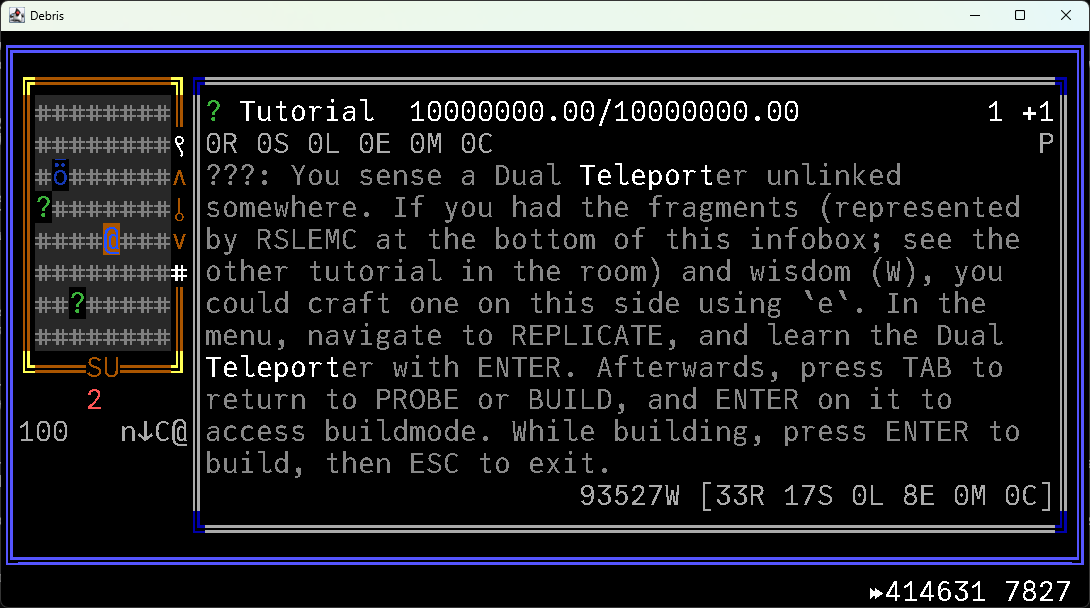
- First try in the interactive tutorial, I accidentally left the game on 10x as I kept playing, when I got to the teleporter building section the game froze at 414k ticks, I'm guessing maybe some sorta weird cube interaction happened in the sandbox that caused the permanent freeze, but idk, I just made a screenshot of the screen I froze at
- When reading cube descriptions, tickrate updating causes the text to shift every time digit count changes, making it hard to read when the game is running. Not a huge problem but I think it should be easy to fix by adding placeholder numbers based on max tickrate for the given thing, like 05/10 or _5/10
- It took quite a while to figure out you can actually attack upwards

I'm really surprised how few issues I ran into given how insanely complex Deep Debris is mechanically! I've tried making spellcrafting systems multiple times and it was a nightmare to account for so many different types of interactions.


Requests:
- Damage/interaction log - would help understanding what's going on or what damaged you (maybe you already have something like this but I couldn't figure it out)
- Auto-pause when player/something important gets damaged - same as above
- Highlighting tiles where attack/interaction happens - same as above
- Multi-key keybindings - niche issue and not sure if it's even a good diea, but I don't have a numpad and I thought it might be better to for example press left+up arrows concurrently to move northwest diagonally
- interactive tutorial teleporter building - I got lost here for quite a wihle since I didn't realize you can attack upwards. There is a hint that tells you you can use "?" to check for keybindings, but I assumed it was a sorta addendum to the whole building mechanic, rather than implying you should check it out to learn you can attack upwards. So maybe some sorta additional hint like "Try it out if you're stuck here" or something might help?
- explaining more of the UI - also likely my issue, but it took multiple interactive tutorial plays and also some experimenting mechanics to understand how most of the UI works that's covered in the tutorial, I listed above the 2 things I still couldn't figure out, so unless I missed them somewhere, I think it'd be helpful to cover them i nthe tutorial or have some sorta UI "Look" mode that let you highlight various parts of the UI and displayed an explanation somewhere or something like that


The page description sold me, but the screenshots looked confusing/daunting until I actually tried it. I was still thoroughly confused after my first session, but the next day I started getting it and it was fun! I had an idea to try to build a floating base with a sorta conical roof topped with umbrellas today as well, so I'll probably look into trying to get that going soon.

I would love to see some sorta progression if it doesn't contradict with your vision for Deep Debris Eg. a tower of cube interaction puzzle scenarios;  roguelite mode/mechanicss; unlockable content like dripfeeding new cube types/buildables; achievements/goals/tasks for creative interaction combos/scenarios. But that's just the kind of games I myself like and tend to play at the end of the day.

Some sorta 3D wrapper or overlay would be really cool and helpful for understanding the mechanics better as well (eg. Stonesense for DF), least for someone like me who has a hard time visualizing ascii art lol.

Also, sorry for the unsolicited advice, but I checked your tags and looked around a bit on itchio tag categories and I thought replacing "java"/"utf8" with "ascii"/"roguelike" might be better for discovery, since at least for me those are the words that I'd think of when I think of Deep Debris.

Overall, really unique game with a ton of content and emergent gameplay, I'd imagine if you're a person who's used to playing terminal games and enjoy sandboxes, you could EASILY spend hundreds of hours in Deep Debris. 

And also very sorry for the absolute mountain of text, ended up much longer than I thought, hopefully something useful in there!

Once you've acquired it, you should be able to walk into any tree in the forest and hold Space to climb up it, and hold Left Ctrl to climb down.

Thanks!

I wanted to make a game I could myself play for hours and hours, so it makes me really glad to see other people also having fun!

Look for a tree with lots of red under it, in the forest.

There was a bug before that made the card unobtainable, but if you're playing on this version or newer, then you should be able to get the card now.

If you mean last by the order they cards appear in the pause menu, then you should look around the forest a bit more. There are 3 unique structures that appear in a random location in the forest.

If you meant something else, let me know and I'll give you a hint!

All of the cards in "world" set are sorta common looking things, that can be found either outside, inside or "inside" of the lighthouse.

You should find most of them pretty easily, the last one you have to find by exploring around, or by getting a drill or scissors.

If you still can't find all of them, let me know! I'm planning to add some sorta hints or a card-locator upgrade or something in in the future to make it a bit easier.

Good to hear you figured it out!

And sorry, no  Discord. I looked into it but it seemed like a lot of work to manage properly, so I'd rather focus all my spare time on development right now. Might change in the future though!

(1 edit)

If you fully fuel up the furnace, then the bars blocking it should lift up once you get close to the door.

Did you try that? Or did you run into some other issue?

Oh wow, those guys aren't supposed to be able to get into the shrine area, I'll need to look into that.

Thanks for letting me know!

Thanks for the feedback!

I do have quite a lot of ideas to make each plane feel unique and introduce new mechanics, but not sure where I'll get around to all of that. Processing is an example of a new mechanic the game introduces as you progress, but I do get its pretty unpolished and tedious right now, I'll definitely keep working on adding more optional variety and also polishing the existing stuff.

Also, took a bit of work cause Godot stores saves in web exports kinda differently, but I just uploaded a new version that should let you move your save from web to desktop version.

1. open web version -> open pause menu -> click "Settings" -> click "Export ZIP" under the save you want to move over
2. open desktop version -> open pause menu -> click "Settings" -> click "Open Save Folder"
3. extract the zip contents into  the folder that just opened
4. re-open pause menu to update the save list
5. click "Load" on the save you just added

I'll look into putting it on Steam, not sure when since it's a bunch of legal and otherwise new stuff to look into. Its pretty surprising to see multiple people asking about Steam already, but I guess something does feel right about owning a game on Steam lol. Achievements would be awesome too for whenever I have figured out what Wender is going to exactly look like when it's done.

Regarding monetizing I'm not really sure yet at all, I'd want to make the game available to everyone for free, but if there's enough interest and I can figure out a good way for people to throw me a few bucks if they want to so I could work on Wender fulltime I wouldn't say no either!

Also means a lot you've decided to leave your first comment here just to make this point, after all that time on itchio!

Might be difficult to find, but there is 1 apple tree you can find in the forest, make sure to look around the distant ground, the apples are bright red and hard to miss once you see them!

I'll look into adding some ingame card tips/hints in the future as well to make some cards easier to find hopefuly.

Thank you very much for al the detailed feedback!

  • You're right, I was supposed to make processing give more items as you leveled it up but I can see from the code I forgot to add it in.
  • "big [adjective]" is a sorta catchall right now for charged hits, idea was that various charged variants of each interaction have a sorta larger/stronger effect, but I still havent added many of them in yet.
  • Processing is overall a bit weak right now, I didn't have much time to polish it, but I definitely want to make it feel more interesting/fun, or at least not tedious, for the next update.
  • Another player pointed out the float rounding issue as well, I'll definitely fix that as well.
  • Good catch on the fog and rare resources! Haven't seen anyone manage that before, I'll need to look into how to reproduce that.
  • The second fog card works, but it might be a bit unclear. Two of the entities you can encounter in the fog look very similar on the surface. I'll look into adding some sort of card hints/tips ingame or seeing if I can make the entities a bit more distinct.
  • Clapping right now has two uses: 1. for a puzzle in the terrarium (it's probably not much of a spoiler) 2. getting attention of things you don't want the attention of... I mostly added it in for the 1st but realized potential for a lot of other things as well I've yet to add in, not to mention people seem to like it!
  • I'll have a look if I can improve that a bit, I think stuff like health bars should not be visually noisy/confusing after all.

Wow! I thought one of my playtesters made a huge wood stack, but a few days ago I saw someone make one the size of the lighthouse and now this!

I might look into some item pickup bonuses for making huge merged items or something, I respect your hustle!

Can I ask what integrated GPU you have?

No promises I can make it playable, but I'll see if I can come up with something like a harvestable resource render distance and test it out somewhere, since I'm guessing thats the biggest problem. 

I just tested it out on the latest version and it worked for me, but...

The middle card might be a bit tricky to find. Spend some time in the fog, and keep looking for the invisible walkers. Some of them are not like the others.

Let me know if you still need help!

I'll also see if I can work in some ingame hints/tips for each card to make collecting a bit easier, for the next update!

(2 edits)

Yea, I'm just really grateful for the fact there's so many people seeming to have fun with something I made at the end of the day. When I first put it up on itchio, I just kept releasing update after update for months, and pretty much all the plays and comments I got were from friends I asked to playtest and a couple people from reddit. So the sudden amount of plays and feedback is just surreal.

The reason I actually started gamedev 4y ago was cause I burnt out at work and just sorta started reevaluating my life and what I even wanted to do. If I had to put it into words, it would be something like "make experiences I think are cool that people can enjoy and that leaves them with something positive". Getting paid to do it would be great too so I could do it fulltime, but not much to do about that since any sorta hustling/marketing stuff just feels against the grain to me and doesn't help I'm also bad at it.

I'll see if I can clean up some of my older projects and put them up, I think I have like 15 or so projects in various states of playability. I tended to drop them after a few months cause I felt that I couldn't finish the visions I had with my skill level and the lack of free time along work.

Almost happened with Wender a few times too, but the positive feedback has kept me at this project for almost a year now. By now it feels so routine to work on Wender that I think I have no choice but to work on it until it feels done lol.

I haven't seen anyone have this issue before on Windows 11 with Windows Security, my game executables aren't signed cause it costs annually to get the certificates for them, so some sort of a "are you sure you want to run this?" warning is expected, but it shouldn't block it entirely.

I found a reddit thread that seemed to have a solution for the same sounding issue however, from that it sounds like something called Windows Security Smart App Control might be flagging Wender (cause of the lack of trust certificate), and then Windows Security blocks it.

Solution in the thread is to add the game as an exclusion in Windows Security and the thread lists steps for it as well. So either exclude the Wender folder, the 2 files (Wender.exe and Wender.pck) or the process (Wender.exe), and that should work. If you're OK with that then I'd say give that a try.

If not, the web version should work as well, but the performance is a bit worse, and there are some one-time freezes as the game loads up some shaders and particles for the first time.

I haven't fiddled with the physics speeds and stuff, but that does sound like it could be a sorta uncommon problem.

No promises I'll be able to fix it, but I'll definitely look into it if there's some sorta stuff I can tweak or presets I can make for different systems to reduce that sorta issues.

And no need to be sorry at all, thanks for letting me know about this issue, since I'm sure you're not the only one affected as well.

It should be playable at least, I got 40-60fps on an old HP work laptop with i think Intel Iris integrated graphics with 100% render scale and Low shadows.

I do recommend the downloadable version in that case cause the web version overhead won't help performance.

You might also have to lower render scale (which makes the game a bit more pixelated but legible and playable), and also disable shadows (altho I do recommend trying to keep shadows at least "Low" if possible cause it does add a lot to visuals).

If you do end up trying it and run into bad performance issues, let me know! I might be able to figure out some more graphics settings that might help it run on more lower-end systems.

(1 edit)

It's made in Godot 4.  But I'm not really 100% sure what you mean honestly, I do some times feels like certain actions kinda feel more stuttery than the FPS indicates, but since it's very mild for me I've kind of forgotten about it. I'll try to check against some older versions to see if I can maybe figure this out. 

Did you try enabling vsync or capping FPS or fiddling with some other settings like disabling movement wobble?

If you have any other details that might help, like if disabling any settings improves it, or if it's better/worse in certain situations, please let me know!

edit - also, I do have very limited FPS cap options right now, is it possible you have a different monitor refresh rate than any of the available options or something?