Indie game storeFree gamesFun gamesHorror games
Game developmentAssetsComics
SalesBundles
Jobs
TagsGame Engines

Alfred Baudisch (Pardall)

103
Posts
1
Topics
409
Followers
236
Following
A member registered Mar 15, 2016 · View creator page →

Creator of

Recent community posts

Hi, that's unfortunately out of scope of the tool, but I'll add it to be planned for v2.0.0, thanks for the suggestion.

You can follow it here: https://github.com/orgs/PardallTools/projects/2

(1 edit)

Thanks. Please update to v1.1.2 (it got 100s of improvements since 1.0.3) and if it crashes again, please send a new crash log. I cannot investigate the crash related to 1.0.3, as even though it's just one week old, it's already very outdated :P

(3 edits)

Hello,

Thanks for the kind words! Drawing tablet support with pressure sensitivity is implemented (I tested with 3 different tablets), but the crashes might mean many different things, unfortunately.

So, I need more context, please:

(1 edit)

Hello,

  1. Bucket fill faces selected is already implemented, info in the docs, here: https://pardalltools.github.io/pixel-art-studio-docs/tutorial-how-to-blockout-co...
  2. As for doing external changes: a file watcher was implemented in v1.1.2 and released yesterday, more info here (scroll down to "Automatically watch if the texture file was modified externally and merge as layer or merge") https://alfredbaudisch.itch.io/pixel-art-studio/devlog/1651120/v112-activate-pix... 
  3. Painting pixels beyond the selection: a "Bleed" option for the Bucket fill will be released with v1.2.0, see progress here: https://github.com/orgs/PardallTools/projects/1

Great to hear!

Thanks for the suggestions. Both are already being developed and planned for the next major version v1.2.0. You can follow here: https://github.com/orgs/PardallTools/projects/1/views/2

Hello,

- Eyedropper from other objects, added in the tracker: https://github.com/PardallTools/pixel-art-studio-docs/issues/27

- ALT+click for the eyedropper is already possible: Preferences > Add-ons > Pixel Art Studio > Shortcuts > customize "Eyedropper (hold and click)" like this:
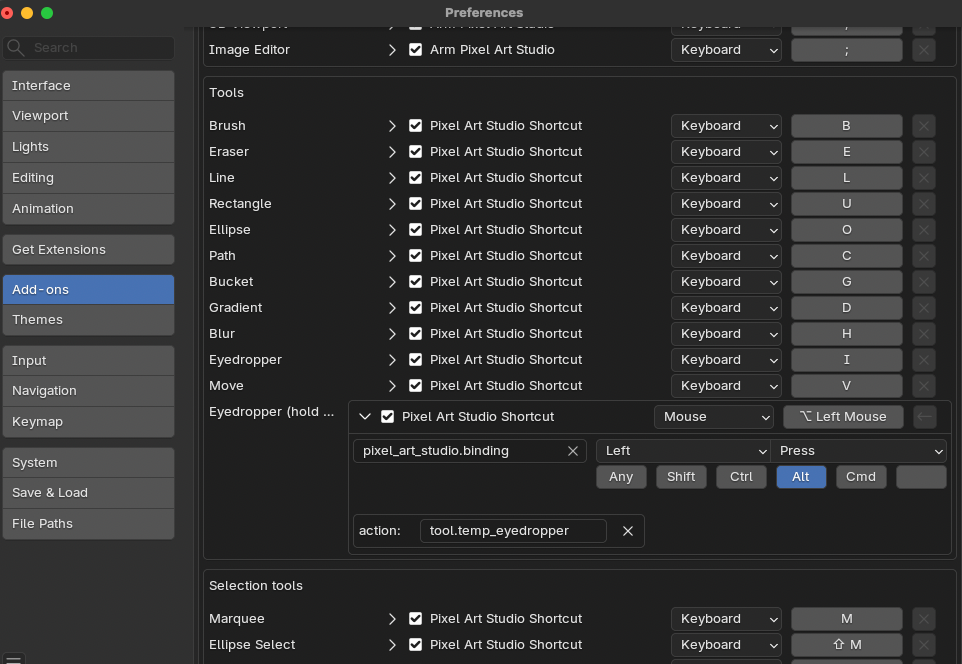

It's solved on v1.1.2. See more: https://alfredbaudisch.itch.io/pixel-art-studio/devlog/1651120/v112-activate-pix...

Thanks for reporting.

Added the file watcher on v1.1.2. Thank you for reporting this. More here: https://alfredbaudisch.itch.io/pixel-art-studio/devlog/1651120/v112-activate-pix...

Added the file watcher on v1.1.2. Thank you for your great report. More here: https://alfredbaudisch.itch.io/pixel-art-studio/devlog/1651120/v112-activate-pix...

Cool, good to know it's the same :) I'm already working on it and should be out today.

This is going to be out in a new update today

Thanks for the great report. This is a bug but at the same time is not a bug either, let me explain.

You edited the image externally with the layers baked in. You reloaded the image correctly in Blender, but Pixel Art Studio does not watch for that: this is where the bug is, and I'm going to fix that (it's going to detect when the texture was reloaded).

But then, by editing the texture externally and reloading in Blender, it's then up to you to manage layers in PIxel Art Studio manually, as Pixel Art Studio is not communicating with Aseprite about any layer information (as you are editing the baked PNG, a raw PNG image with no layer information, it's not like a Photoshop PSD file or an *.aseprite file that has layers information).

So I'm going to fix the bug of Pixel Art Studio not detecting that a texture was reloaded, but then it's up to you to manage duplicate data (for example, in your example, the black pixel stroke is going to appear baked in the PNG you just reloaded AND repeated in the layer you had with it; likewise the pixel art grid will still be in its separate layer BUT ALSO baked in the texture already, duplicated).

(3 edits)

Hi, questions, as I need more context:

  1. Is it a .blend file that you could share, so I can investigate directly at the source of the problem?
  2. What kind of material are you using?
  3. What OS are you using?
  4. Are you using Pixel Art Studio v1.1.1?
  5. And can you explain what steps are you taking, in order, and what exactly happens, if possible with screenshots, please. Or even better: record a video of what you are doing until the issue happens!

With the release of v1.1.1 there are no known bugs left: https://alfredbaudisch.itch.io/pixel-art-studio/devlog/1649651/v111-selections-2...

Implemented https://alfredbaudisch.itch.io/pixel-art-studio/devlog/1649651/v111-selections-2...

Public tracker for it: https://github.com/PardallTools/pixel-art-studio-docs/issues/24

Hello, I'll add a setting so it skips setting up the grid.

Superhive (Blender Market): https://superhivemarket.com/products/pixel-art-studio?ref=10057

Gumroad: https://alfredbaudisch.gumroad.com/l/pixel-art-studio

(4 edits)

Thanks a lot for getting interested in Pixel Art Studio :) Unfortunately that is not possible, and I don't intend for a free version in the near feature (the whole pixel art core would have to ship with a free version).

In any case, the add-on is out for just 3 or 4 days and there have been more than 7 updates, with dozens of improvements and also new featureshttps://alfredbaudisch.itch.io/pixel-art-studio/devlog

Plus it has basically just 2 known bugs left, and none of them is a breaking change/breaking workflow. And if more bugs are found, I am normally fixing them on the same day.

All tools advertised are implemented and working (hundreds and hundreds of people buy the add-on daily since launch, at least as of today it's the top 3 best seller tool on itch.io - it wouldn't be like that if it was broken).

You can track bugs and future features here: https://github.com/pardalltools/pixel-art-studio-docs/issues

But it already has 10s upon 10s of features.

It's already submitted there, I'm waiting for review :) As for Gumroad, good point, I'll post it today.

Thank you! (and thanks for your icons again, you are in the credits of this one and Vertex Studio!)

Scroll down here, there's a section about Alpha Scissor in visual shaders: https://danielilett.com/2024-02-06-tut8-1-godot-shader-intro/

No worries! Enjoy! :D

(1 edit)

UPDATE: it reconciles only UV changes from Blender, if you change the mesh, nothing happens.

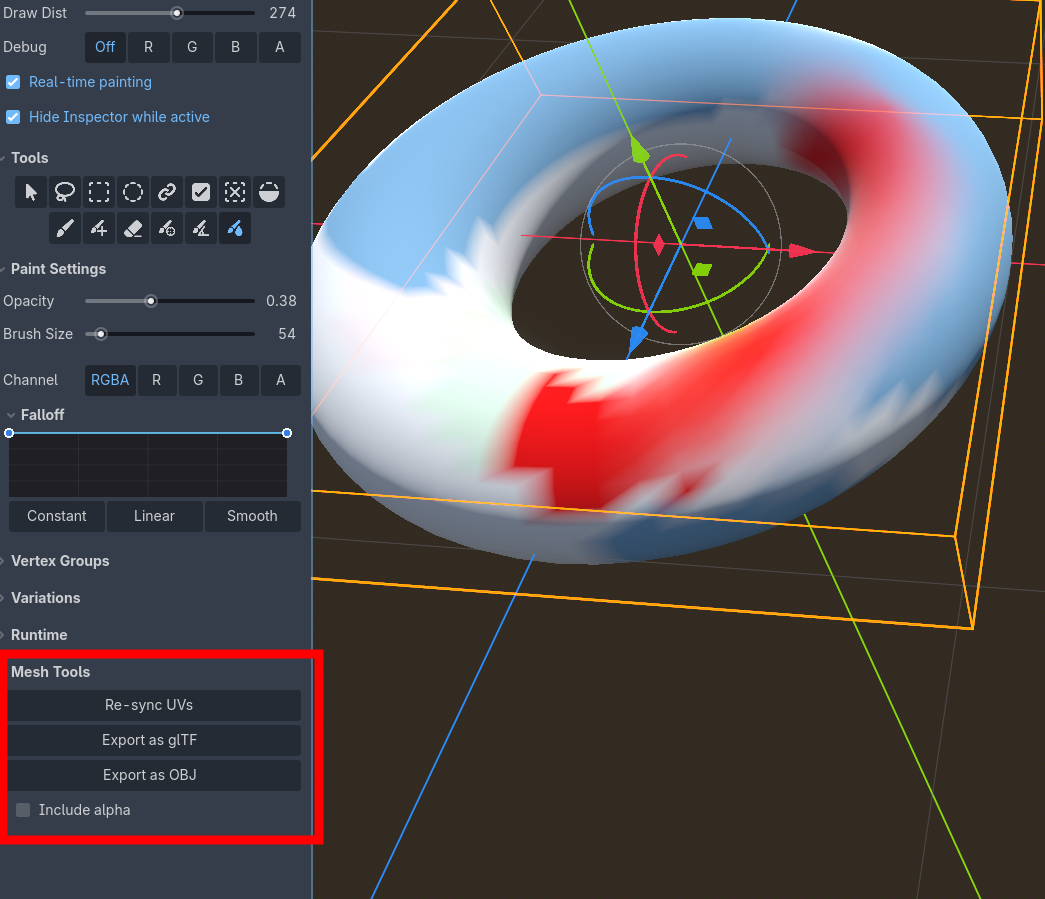
Anyway, a new feature is schedule to release which is export from Vertex Studio back to OBJ or GLTF (so what you paint in Vertex Studio can leave Godot itself). Then you can open the OBJ/GLTF in Blender, update the mesh and reimport back into Godot. More info: https://splitpainter.itch.io/vertex-studio/devlog/1630666/export-objgltf-terrain...

Thanks! There's an undocumented feature released a few days ago that is supposed to reconcile with the source mesh, more info here: https://splitpainter.itch.io/vertex-studio/devlog/1590929/new-version-10-beta3-b...

I haven't tested with changing the mesh vertices themselves though, only the UV, so please backup your scene first before trying. I'll also give it a try and report here next.

No need anymore, thanks. I figured out from the GIF.

(1 edit)

Hey,

I'll answer by numbers, so it's easier to follow:
  1. It's not possible to change the normals of a plane (this is not a limitation of the tool, it's just how 3D works, because the normals are all the same on a plane. If you create a plane on Blender and set Shade Flat or Shade Smooth you can see it doesn't make a difference).
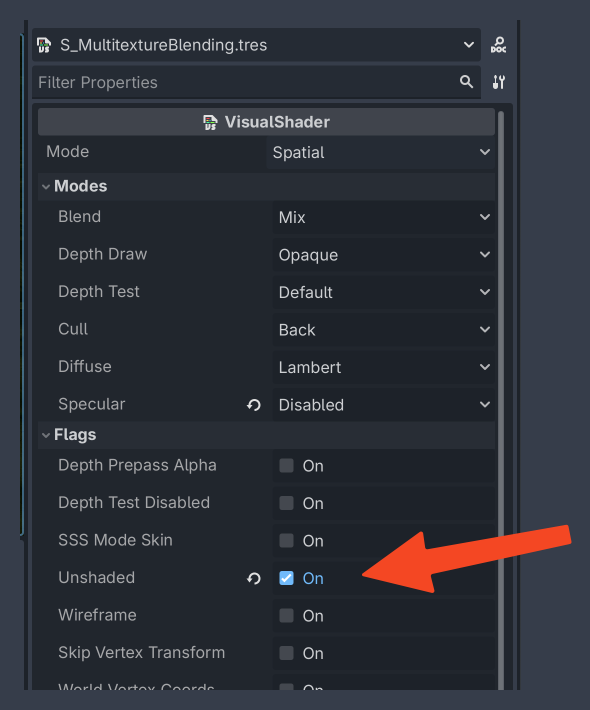
  2. "how to combine unlit and splat mapping here" - since you are painting in a custom material, you have to keep using "Original Material", otherwise you won't see your texture blending. In this case to have it unlit, you have to change the shader to Unlit. If you created the shader following the tutorial, it's a Visual Shader, so double click it and set to Unshaded:

Hey, before I answer you everything, can you please send me the model, material and texture you are using in the gif you attached? It could also be good to send the model Godot scene as well. Then I can investigate your first case of why the hard brush wasn't painting. 

(2 edits)

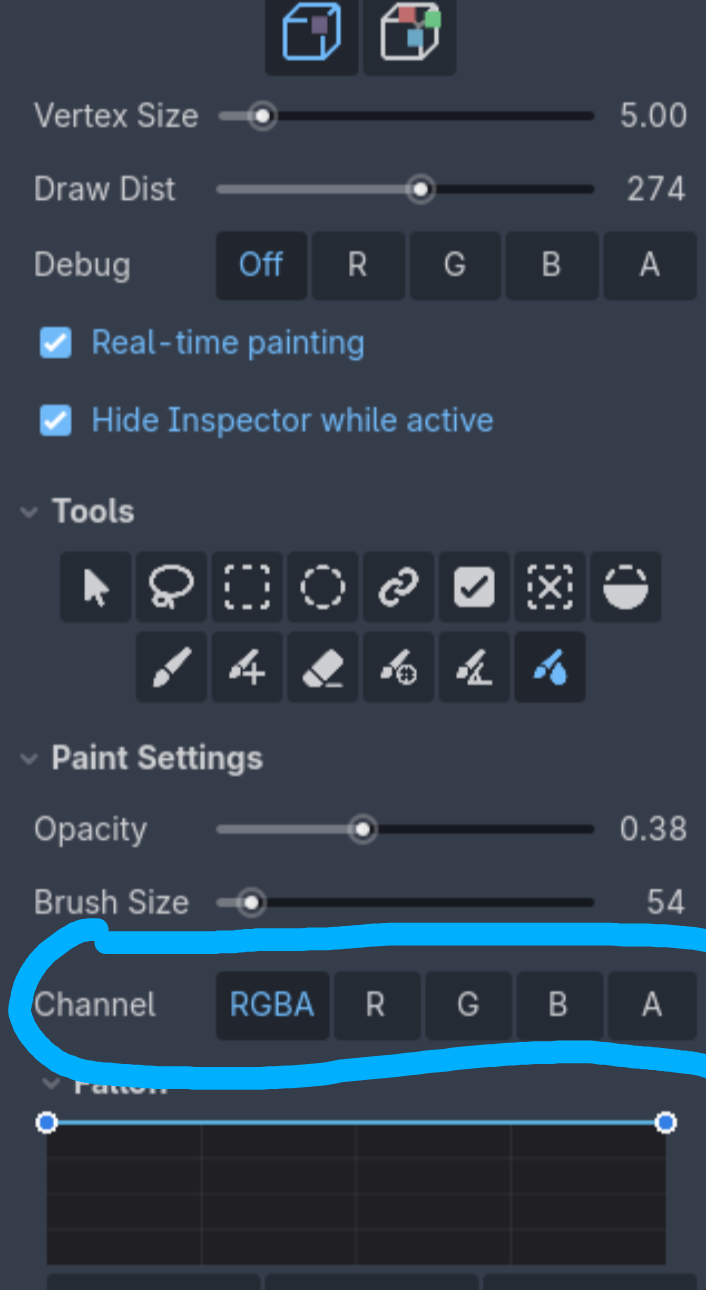
These that are you trying to select are debug channels ("what channels do you want to view?"). 

The channels for painting are further below, in Paint Settings. There you can shift+click to add to the selection. 

Well, now that Vertex Studio is also in GDExtension C++, a standalone version would be possible. After I release the last updates and the Blender version, I'll take a look into this again.

In any case, this gave me an idea, I'll support triplanar in the "Setup" materials as well. So if your mesh has triplanar mapping, then you can also use the Setup materials and they are going to pick up the triplanar flag :) This is going in the next update.

(3 edits)

Triplanar is something that is defined by the material, thus it doesn't affect vertex coloring. It works the same way as if you didn't have triplanar mapping.

Example in Godot:
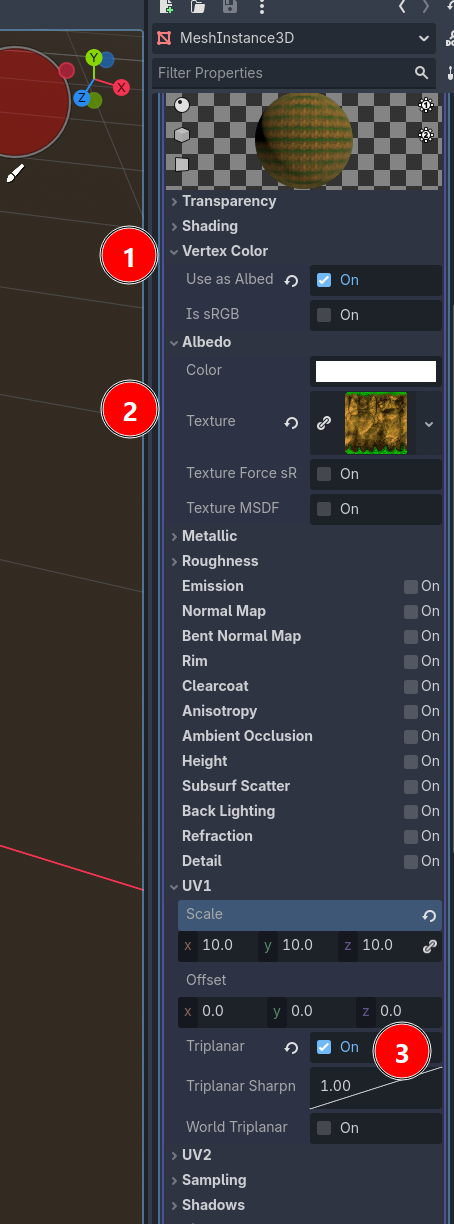
  • Mesh with StandardMaterial3D,  check "Vertex Color: Use as Albedo"
  • Assign a texture
  • Check Triplanar in UV1
  • Save and re-open the mesh scene if needed
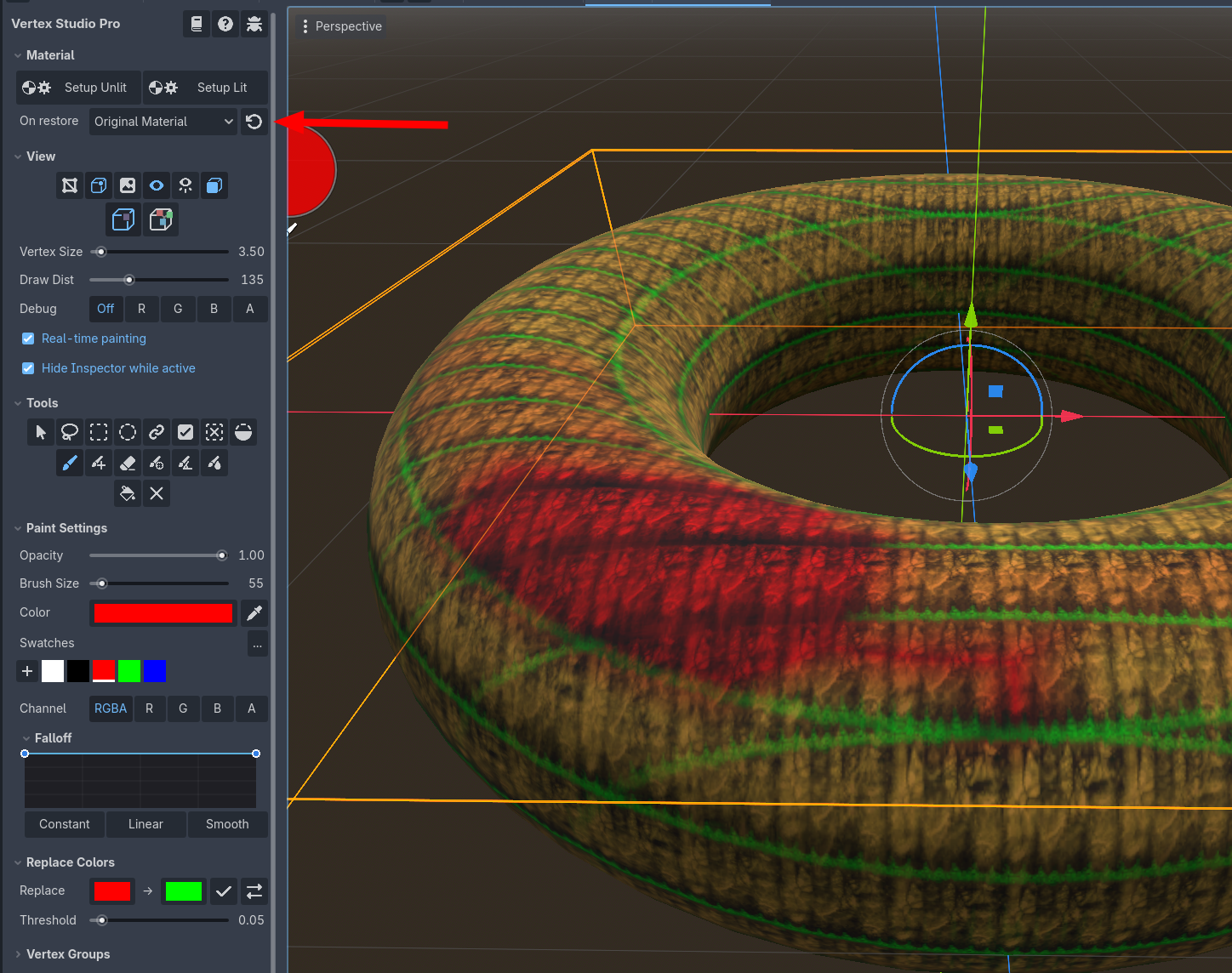
  • In Vertex Studio, click to restore the Original Material, painting work as normal, but to see the triplanar mapping you have to keep using your mesh's Original Material that has the "Triplanar" setting as on, as shown in the second screenshot below (you can click the arrow icon as many times as you want/need).


I have 2 (or maybe 3) good news for you :)

  1. Export OBJ and GLTF is coming to Vertex Studio Godot
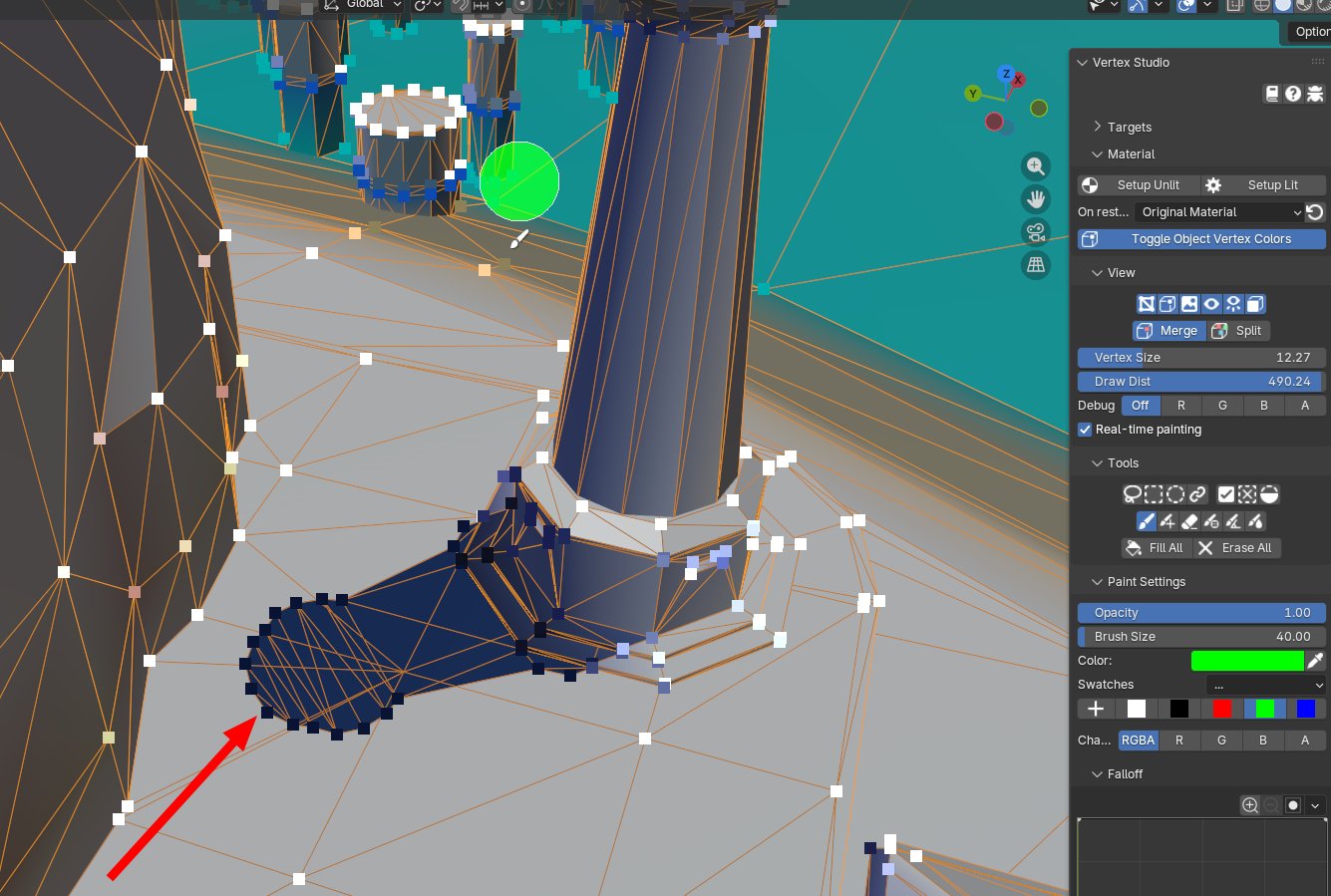
  2. Vertex Studio is also coming for Blender (and it works in Object and Edit mode, so you can paint/manage vertices and normals using all the cool tools from Vertex Studio)

O mundo é muito pequeno mesmo, de todas as pessoas que poderiam interagir, com os milhões de projetos do Itch, logo esse match :)

Valeu, haha e logo o surgimento das plantas foi algo que achei muito legal de implementar.