Indie game storeFree gamesFun gamesHorror games
Game developmentAssetsComics
SalesBundles
Jobs
TagsGame Engines

PingLife

22
Posts
3
Topics
1
Followers
A member registered 2 days ago · View creator page →

Creator of

Recent community posts

Day 3 on itch, a quick update.

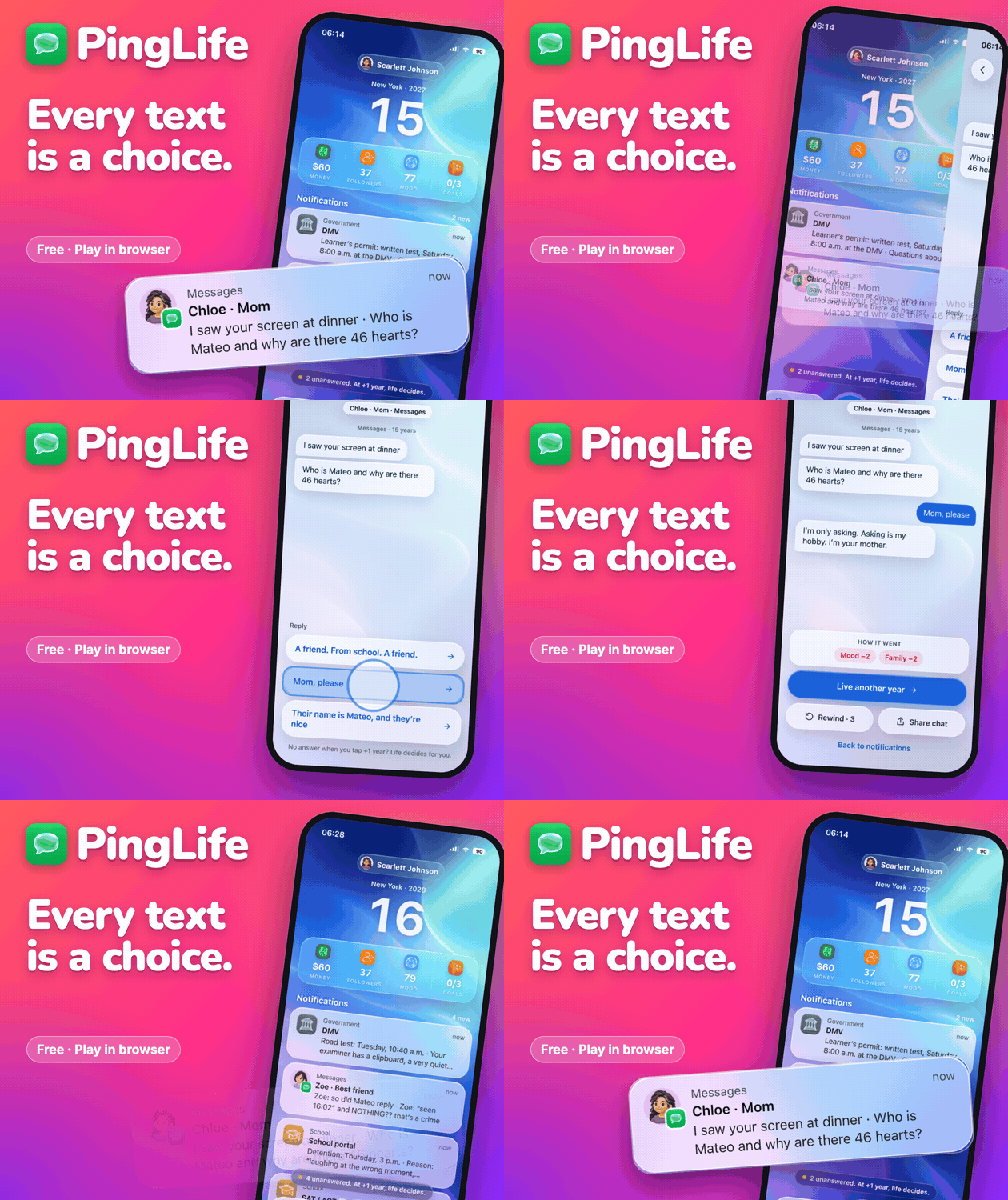
  • In the first days the cover was shown 1,037 times and only 1.83% of people clicked it. It looked like an app screenshot, pale blue, and next to the other covers in the browse grid it just disappeared.
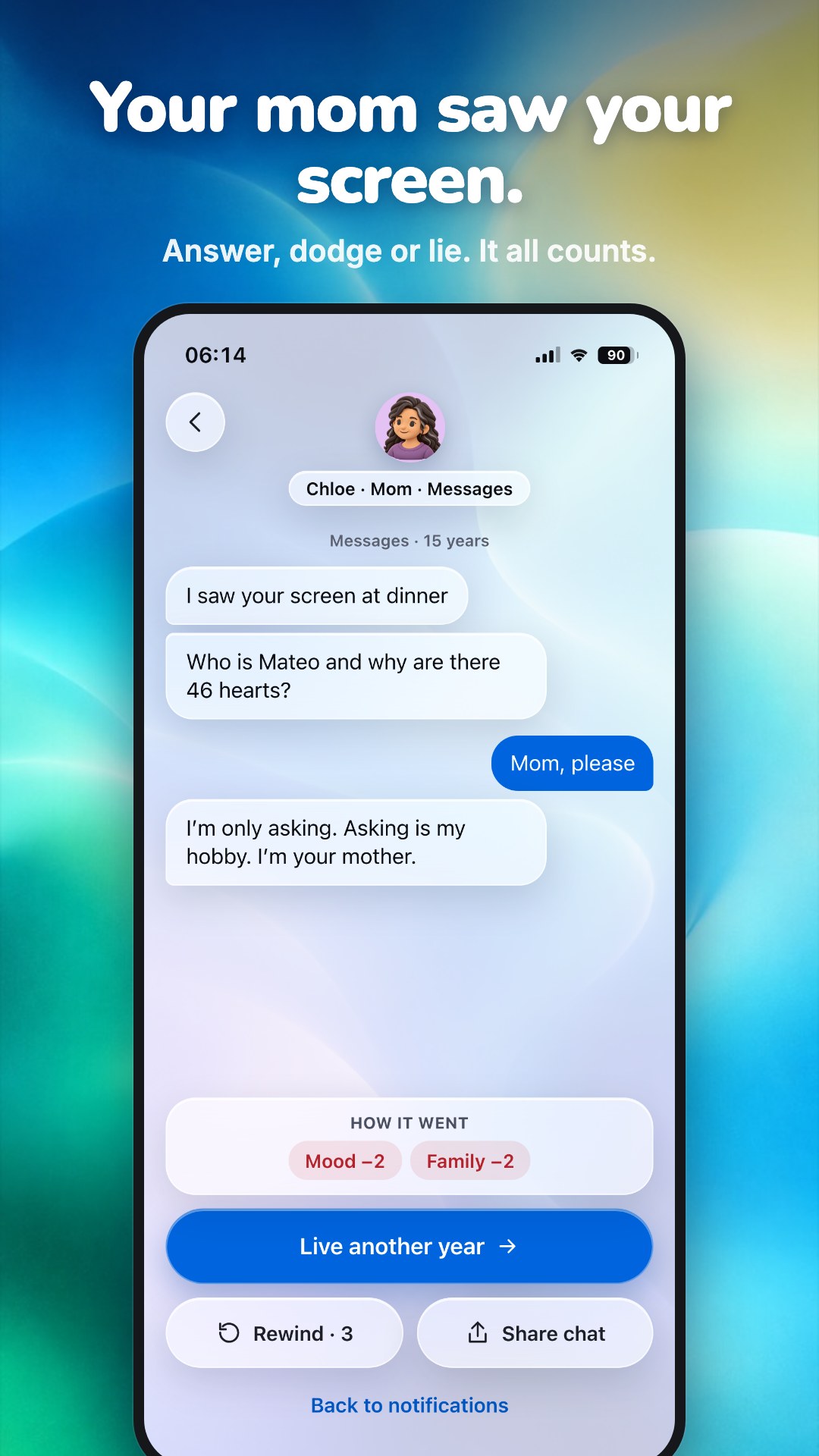
  • So today I made a new one: brighter colors, a bigger name, and one real notification from the game ("I saw your screen at dinner. Who is Mateo and why are there 46 hearts?"). If you hover it in the browse grid, it plays a short loop of that chat.
  • 48 people played it in the browser so far, and the first comment on the page was "Played through a whole life", which honestly made my day.
​

Next I'm looking at where players stop in the first minute. If you tried it, what made you close the tab?
That's really helpful, thanks! Was the YouTube video one you made yourself, like a trailer or a devlog, or was it someone else playing your game? I'm trying to decide where to put my time next.

And congrats on getting itch to start showing it to new players, that's the part I'm still waiting for!

Hi! I played it for a few minutes in Chrome on desktop.

1. Yes, the first press made sense right away. The green box on the tab key told me what to do before I read anything.

2. Two things I noticed:

  • When I pressed Tab a lot of times very fast, the counter only went up by one. When I pressed slowly, one every second or two, every press counted. Maybe it's on purpose because the monkey is still typing, but while mashing it felt like the game froze.
  • NEXT didn't change the scene inside the itch window. It opened vibeoverflow.fun in a new tab, and the embed stayed on SCENE 1/21. If that's intended, maybe say so on the button, because I expected to stay here.

The lines on the monitor ("ok async", "catch", "// fix") made me laugh.

Since you asked: I made PingLife, a free browser life sim where your whole life arrives as phone texts: https://pinglife.itch.io/pinglife. Any notes on the first minute are very welcome. Thanks!

thank you so much brother, make sure you’re on wait list because we’re launching con Android and iOS 

of course, I’m playing it right now!

Hi! I played up to the first full moon in Chrome on desktop. Honest note: I fished night 1, then skipped nights 2 to 4 with Stay In to get to the moon faster, so I had less practice with flares than a normal player would.

To your question: the rule is there, but I still came out of the night feeling like the boat stopped working. What I saw:

  • Before the night, the full moon text says "Still water. Every torch burns true." and then "The moon is bright: fish see it more than your torch." The first line made me think it was a good night. The same moon line also showed on the gibbous night, so it didn't feel like a new rule.
  • When I put out, the bottom text explained it well ("only a flare pulls a shoal in"). But a few seconds later it switched back to the general hint "FLARE when fish rise under the flame", and the boat said "nothing drawn to this light". So I waited for fish to rise, and they never did.
  • I flared once, late, and the dawn card said "Nothing landed. The shoals never came to the light." That's the moment it felt like a bug and not a rule. If the dawn card said something like "Full moon: torches don't draw, flares do", I think it would click right away.

One small thing: on the itch page the "Submission to AI Browser Game Jam 5" button sits on top of the FILL THE STORE and HOME buttons, I had to click around it. Fullscreen fixes it, but maybe worth a hint.

The night and dawn loop is really relaxing, and the boats lighting up the water look great. Thanks for sharing!

Hi! I played a full week on desktop Chrome. I started in the itch embed, then opened the game on its own page because of the first point below.

In the itch embed I couldn't reach the price at all. The day screen is taller than the embed (the embed is 860px high, the day screen about 1480px) and scrolling is off in the embed, so "Recipe and price" sits under the Open stand bar. Even in fullscreen I couldn't scroll. Ticking "Enable scrollbars" in the embed options, or making the day screen shorter, should fix it. Maybe it's also part of what the first commenter ran into.

1. Honestly, I did exactly what you were worried about: I pressed "Match the forecast" every day and opened. I got 3 stars on Pricing without ever choosing a price myself. The line "Each cup costs $0.50 to make. Sell above that or you lose money." is very clear when you see it, but nothing made me stop and look at it. Maybe Match the forecast could fill the supplies only, and leave the price to the kid?

2. The report card is short and friendly, not preachy at all. "Posters and helpers are bets" is a great line for that age. One thing confused me on day 1: my wallet went from $20 to $18, but the screen said "The till is heavier" and "+$1.15 profit". The supplies-on-hand line explains it, but I think a kid will see the wallet go down next to the word profit and get lost. Maybe slow that moment down on day 1?

Clean art, and the little mascot is cute. Good luck with it!

As someone who just released a game here, I'd take the novice video every time. Even a rough recording shows me the exact moment someone gets confused, and that's worth more to me than a polished review that just says "it's fun".

The only case where I'd worry is if the video gets something wrong about the game, like calling it broken when it isn't. Even then I'd rather reply in the comments than not have it at all.

Did anyone here actually have a bad review hurt their game?

Hi! I played the first port with the tutorial on, in English, Chrome on a Mac (window about 1280x730), and went on to the second port.

1. Before the first sale I mostly knew what to click. Two moments made me stop:

  • Step 3 says "Buy it", but the big button is "Trade with starting cargo". I wasn't sure which one the tutorial wanted, so I bought the mushroom. After buying, the grid moved and my mouse ended up on the Buy button of another item, so it's easy to buy twice by accident.
  • Step 5 talks about the "lot button", but I couldn't find a button with that name. Clicking the card worked.

Also, the mushroom the tutorial highlights shows up as BROKEN in my hold, and nothing told me what that means.

2. Not completely. My toaster has Tech and Ritual. Bolt-7 likes Tech and offered 7, Sister Umbra likes Ritual and offered 11. I couldn't tell why Umbra pays more. Seeing all three prices change when I picked a tactic was really clear though, I liked that a lot.

3. At the second port I knew the plan (match tags, sell to the best buyer), but there's a lot on screen at once: port signal, outfitting, sockets, sellers with inspection fees, loan, debt. I ignored most of it. Maybe open those one at a time over the first ports?

One more small thing: in the profession window the Cast off button was below the fold for me, I had to scroll the popup to find it.

The art and the item names are great, "Captain's sock" made me smile. Good luck with it!

Hi! I tried the first round on desktop Chrome, clicking through with the 4 default names, so it was one person passing the phone to themselves, not a real group.

To your question: yes, it was clear without reading anything. "Pass the phone to Alex" and the "I'm Alex. Show me." button work really well, I always knew who should look.

A few things I noticed:

  • On the "Caught!" screen the word is already shown ("Then reveal: it was Panda") while the imposter is asked to say it out loud. If they're holding the phone, they can just read it. Maybe put the word behind a "Reveal" button?
  • The vote buttons are on the same screen as "Clue time", so someone could tap a name before everyone gave a clue. A small "Done with clues, vote" step could help.
  • The title says faker, the cards say imposter. Maybe pick one word?
  • The names come prefilled (Alex, Sam...), so I started without typing ours. I think a real group would do the same by mistake.

Nice one for family nights. Did you try it with kids already?

Thanks for starting this, lots of useful stuff here. One thing that worked for me outside itch, in case it helps:

I made short vertical videos for my game. The ones that opened on a real moment (a text from the character's mom, an unknown number at 3am) kept 2 to 3 times more viewers than the ones that pitched the game ("5 ways to get rich in this game"). So I'd say: show one moment, not the feature list.

Also, the first one or two videos of a day did much better than the third and fourth, so posting less often worked better for me.

I'm new on itch (released yesterday), so I can't say much about followers here yet. What has worked best for you so far?

Hi, thanks for offering this! I'd be grateful for a look at PingLife, a free browser life sim where your life happens through phone texts: https://pinglife.itch.io/pinglife

The thing I'm least sure about is the "+1 year" button. If you skip a year with messages unanswered, life decides for you. I can't tell if that feels fair or just punishing. Honest take very welcome.

Hi everyone! I'm the solo dev behind PingLife, writing from Italy. I joined itch today to release it.

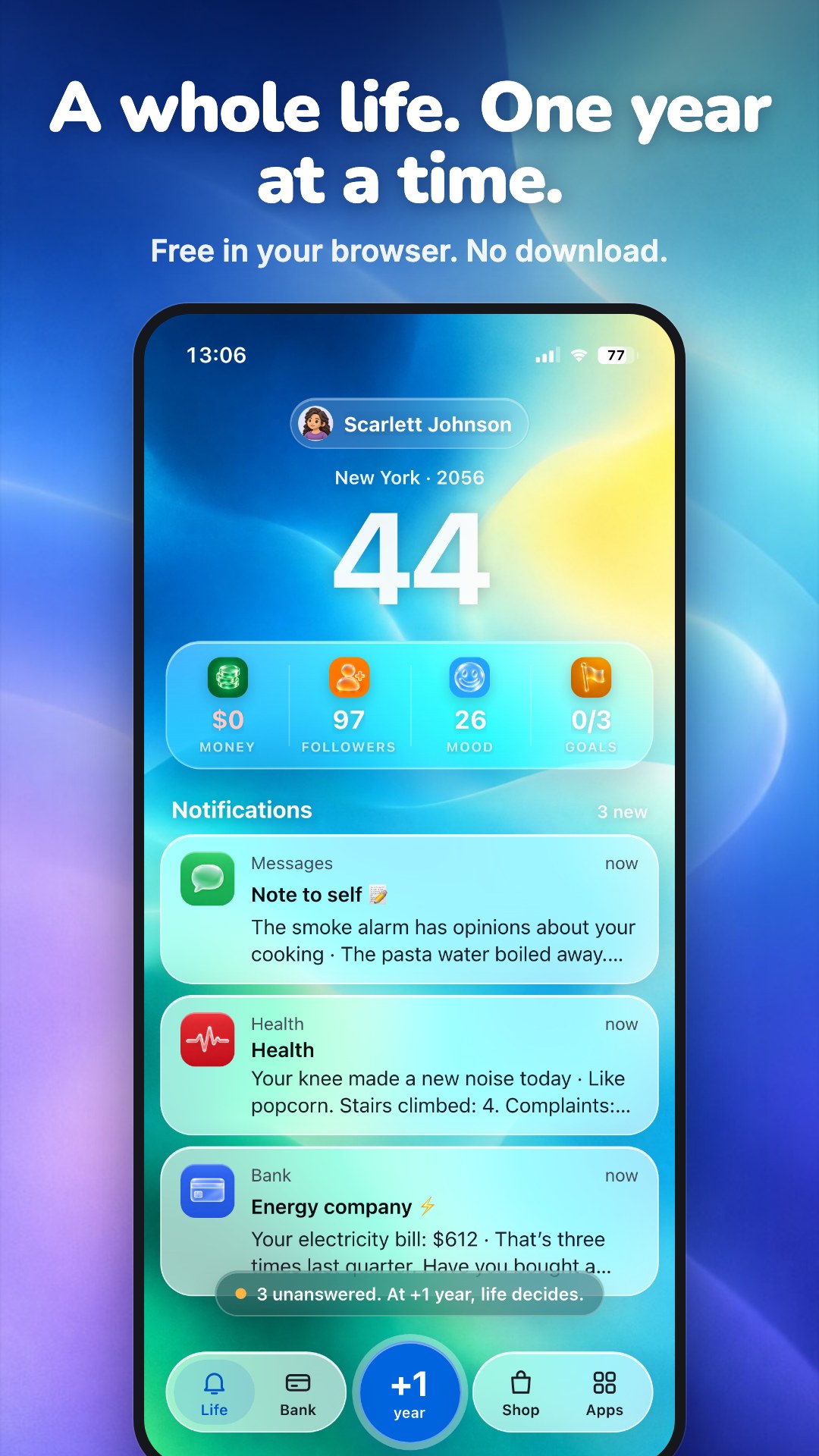
PingLife is a BitLife-style life sim, but everything happens through your phone: texts, group chats, bank alerts, a dating app. I wanted a life sim that reaches you the way life does now, one notification at a time.

Happy to be here. What was the first thing you released on itch?

PingLife


Hi Obbo! Since you're coming from Roblox, a life sim might suit your audience. I made PingLife, a free browser game in the style of BitLife, but your whole life arrives as texts on a phone.

There's also a "Life of the Day" mode where everyone gets the same life, so your viewers could play the same one and compare how far they got.

https://pinglife.itch.io/pinglife


Do you prefer short games you can finish in one video, or ones you can come back to?

Yes, BitLife was a big inspiration! The main difference is that in PingLife you don’t read what happened in your year. It reaches you as texts, group chats and notifications, and you decide how to answer. If you leave messages unanswered and skip a year, life decides for you.
Did you play BitLife a lot? I’d love to know what you think is missing from it.

Hi! This is the devlog for PingLife, a life sim that plays out on your phone. The web beta went live on itch today: https://pinglife.itch.io/pinglife


Where it stands

  • 1,200+ events, from your first phone at 14 to your last years
  • 5 languages: English, Italian, Spanish, German, Dutch
  • Life of the Day: the same life for everyone, so you can compare

A few design decisions

  • Ignoring is a choice. When you skip a year, every unanswered message gets resolved for you, usually not in your favour.
  • People remember. What you tell someone changes how close you are and how they react later.
  • Rarity is measured, not guessed. I simulated 20,000 random lives to set how rare each title in the album is.


What's next: looking at where players stop, and fixing that first. After that, the iPhone/Android app.

I'll post updates in this thread. If you have played it, where did you stop?

Hi everyone! PingLife is a life sim where your whole life arrives as phone notifications. It's free and runs in the browser, on phone or desktop:
https://pinglife.itch.io/pinglife


I'm looking for feedback on three things:

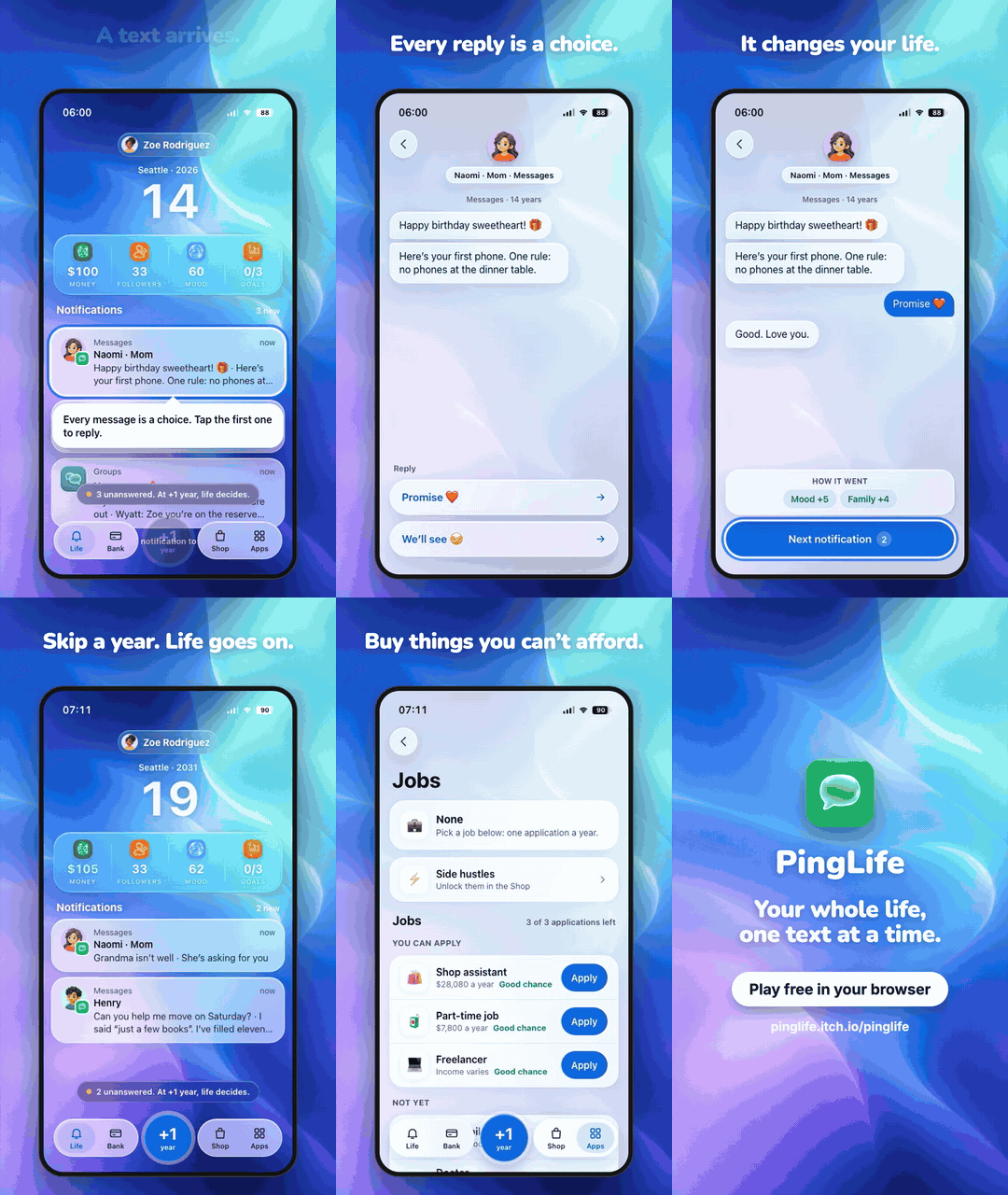
  • The start. The tutorial is one sentence: "Every message is a choice. Tap the first one to reply." Is that enough, or were you lost?
  • Skipping a year. Unanswered messages get resolved for you when you press +1 year. Did you understand that before it happened?
  • Phone vs desktop. It's built for a phone screen. On desktop, does it feel too small?

Even one line helps, like "I stopped when…". Thanks for reading!

Hi! No pressure at all, school comes first. For anyone else browsing the thread:

PingLife is a free browser life sim told through phone notifications: https://pinglife.itch.io/pinglife


The part I'd most like feedback on is the first two minutes. Does the first text make you want to answer the next one, or does it feel like reading a wall of text? Thanks!

Hi! Thanks for doing this, it really helps small devs.

If you want something a bit different for a video, maybe PingLife fits: it's a free browser life sim where everything happens through phone notifications. It plays a bit like reading someone's phone and deciding what to answer, so I think the reactions work well on camera ("your mom saw your screen at dinner" is a common one).

https://pinglife.itch.io/pinglife


One life takes about half an hour. If you end up playing it, I'd be happy to watch and leave a comment. Good luck with the channel!

Hi everyone! I just released PingLife, a free life sim that happens entirely on your phone. You start at 14 with your first phone, and then the texts come: your mom, a group chat, your bank, sometimes a stranger. Every notification is a choice, and if you skip a year without answering, life decides for you.

Play in the browser, phone or desktop: https://pinglife.itch.io/pinglife


If you try it, I'd love to know which text made you stop and think. Which game in this thread should I try first?

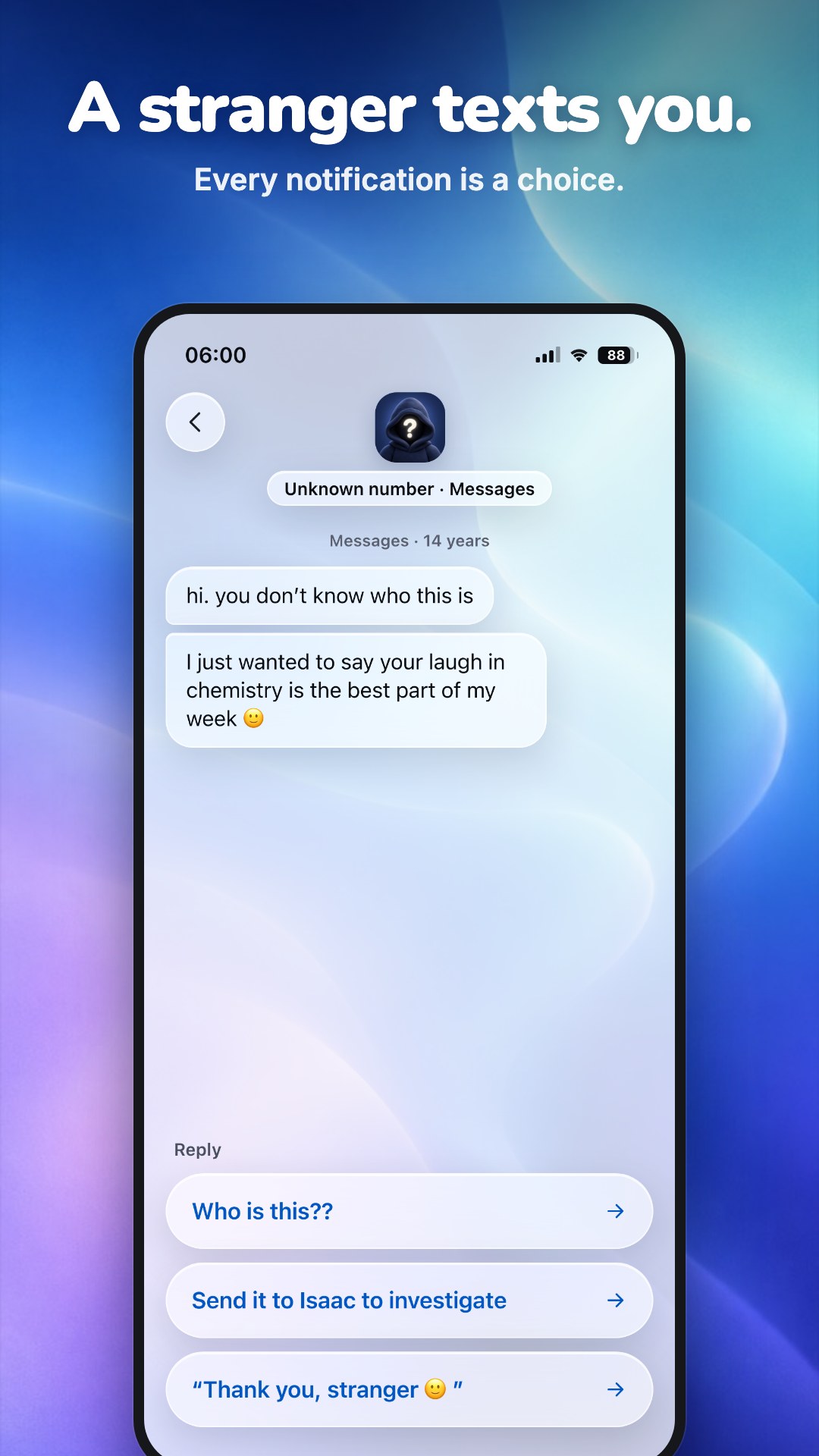
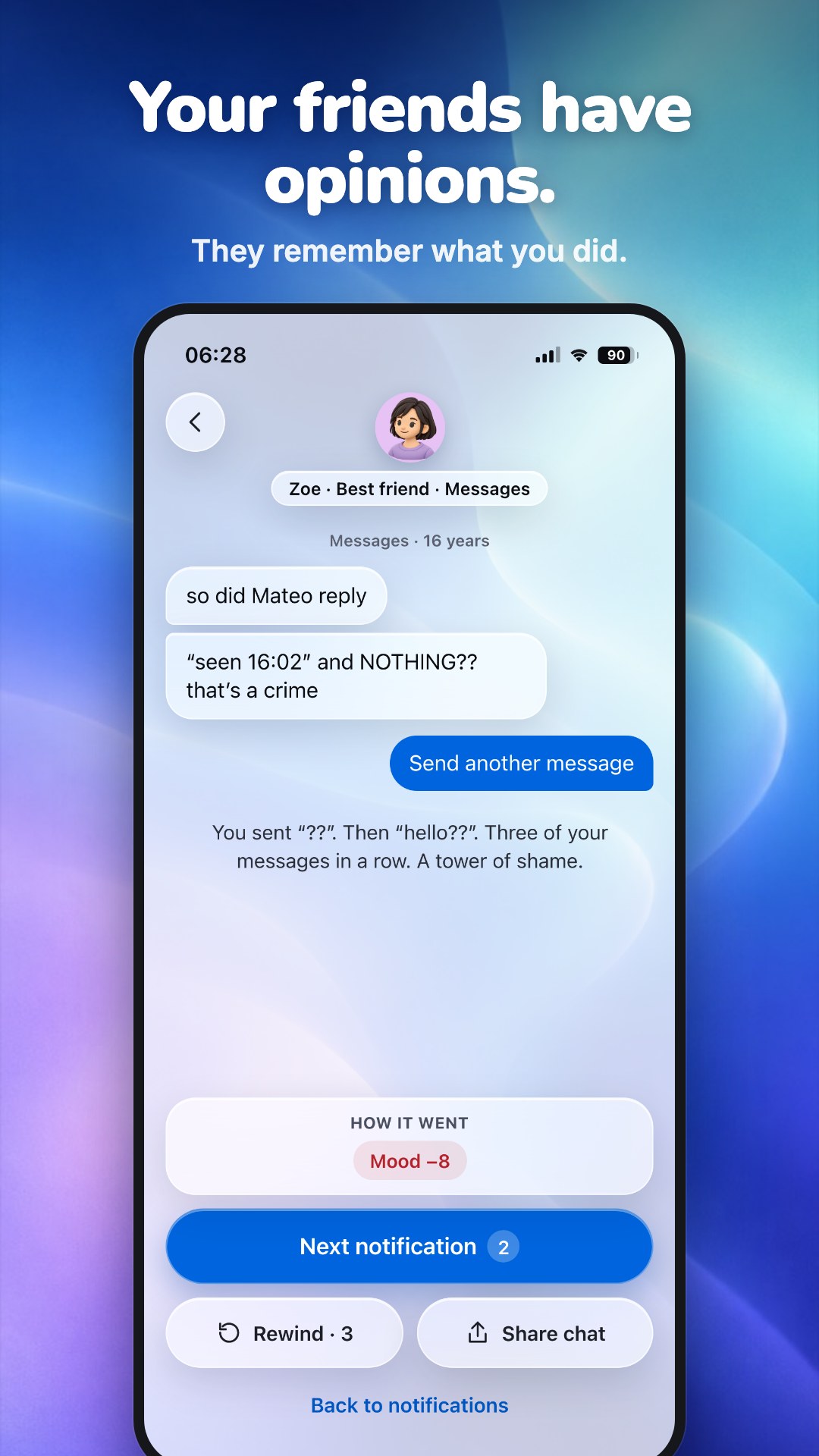
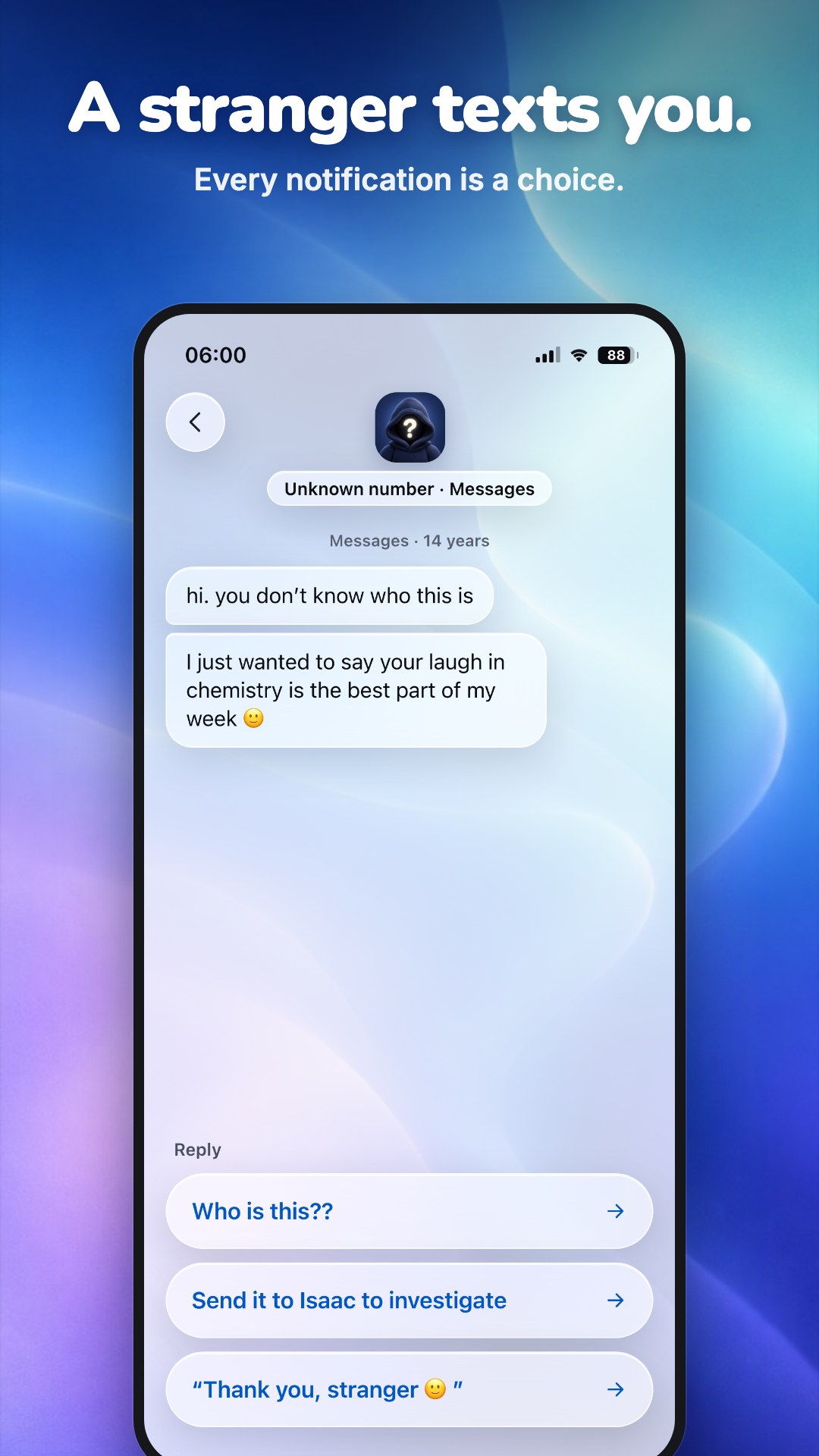
A stranger texts you at 14. Your mom sees your screen at dinner. Your best friend wants answers.

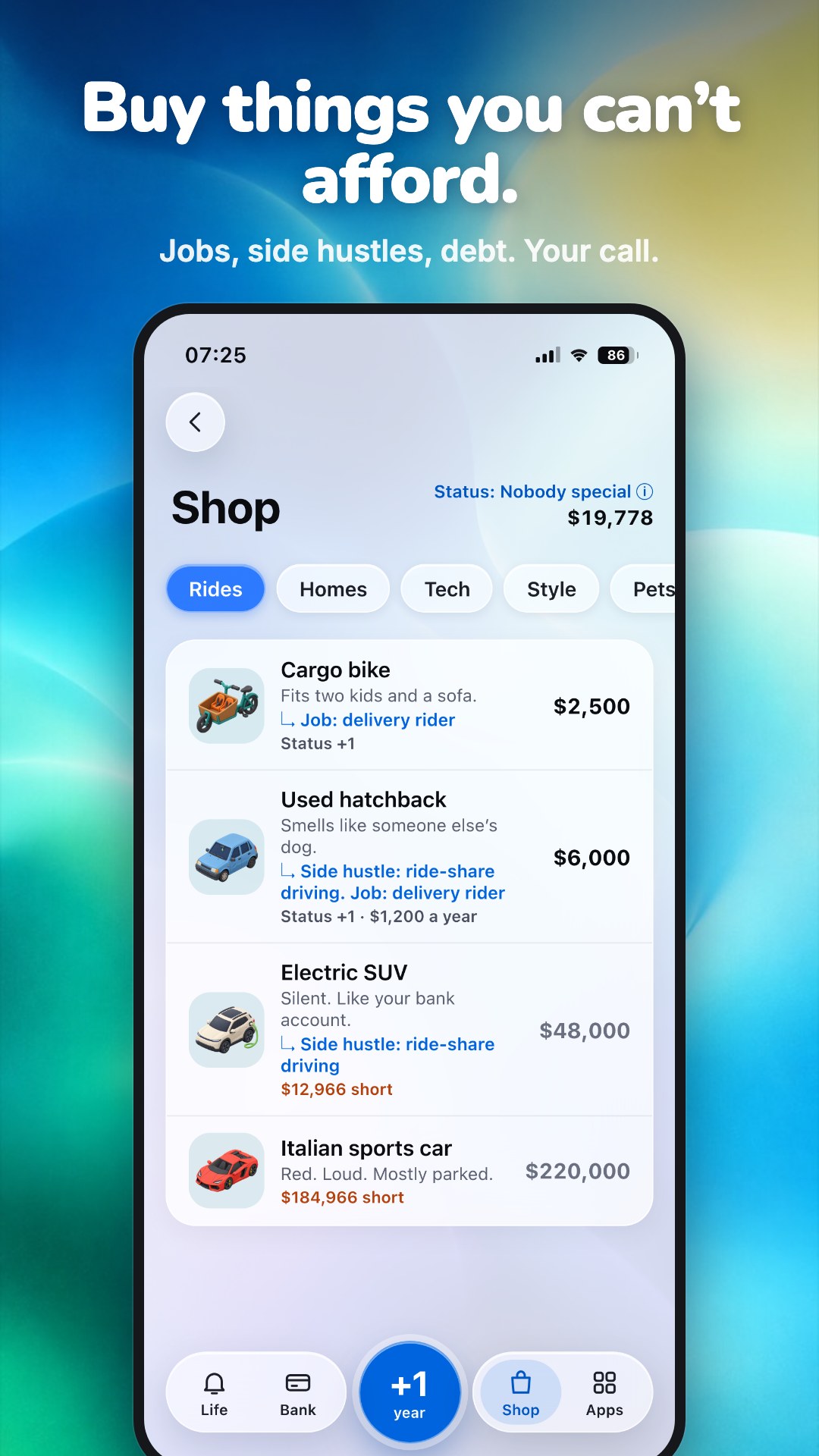
In PingLife your whole life happens through your phone: texts, group chats, bank alerts, a dating app. Every notification is a choice, and every reply changes your money, your mood, your friends and how your story ends.

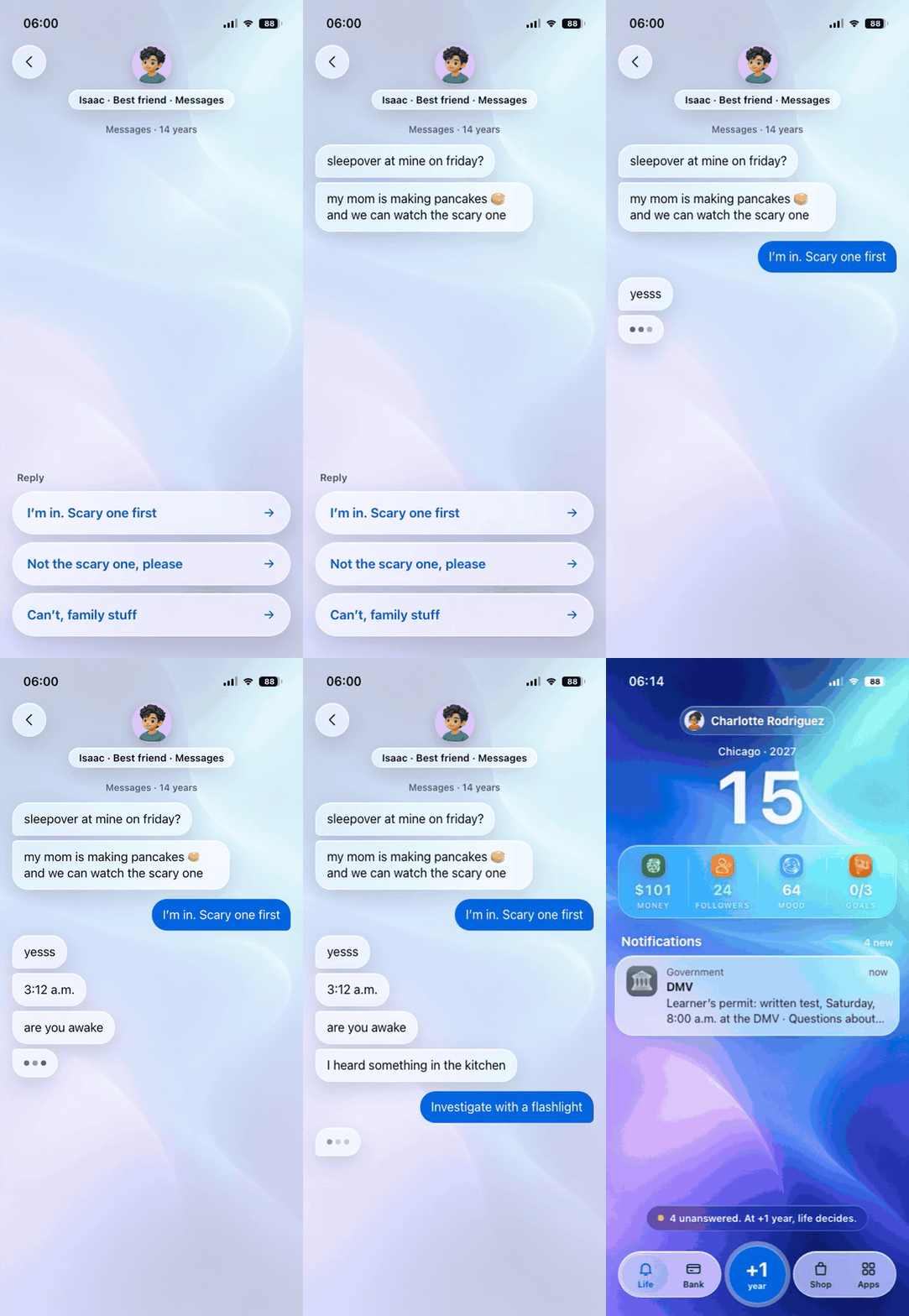
PingLife gameplay: a late-night chat with your best friend

▶ Play free in your browser: https://pinglife.itch.io/pinglife

  • 1,200+ events, from your first phone to your last years
  • Life of the Day: the same life for everyone. Who gets further?
  • Collect titles and endings, then share your life receipt
  • English, Italiano, Español, Deutsch, Nederlands

This is the web beta. The full iPhone/Android app is coming, and people on the waitlist (inside the game) get it first, plus 3 rewinds in every life starting now.

Feedback is very welcome, especially where you stopped playing and why.